By LaunchVault editorial · Official sources checked
Did your school mornings start with an alarm clock or a phone? The everyday things you remember growing up are the clues in Brainzy Fun's I Know Your Age Quiz.
This free browser game turns a short childhood memories quiz into an age estimate, a range and a few clues explaining the result. You can keep the reveal to yourself, save an image or invite a friend to answer the same questions.
If you are looking for a guess my age quiz without a selfie or birthday form, this is a quick nostalgia break. Its appeal is comparing experiences; the estimate is entertainment, with no published accuracy rate.
What Is Brainzy Fun's I Know Your Age Quiz?
Brainzy Fun focuses on one age guessing game built around memories of technology, entertainment, communication, school and everyday routines. Its current English question bank contains 48 original prompts, from which an ordinary solo round draws 12–18 questions.
The current player is Brainzy's own implementation, with its own questions, scoring code and result cards. Its About page explains that the site previously embedded KEPIGAME's game and has replaced it. Brainzy does not claim an affiliation or endorsement from that creator.
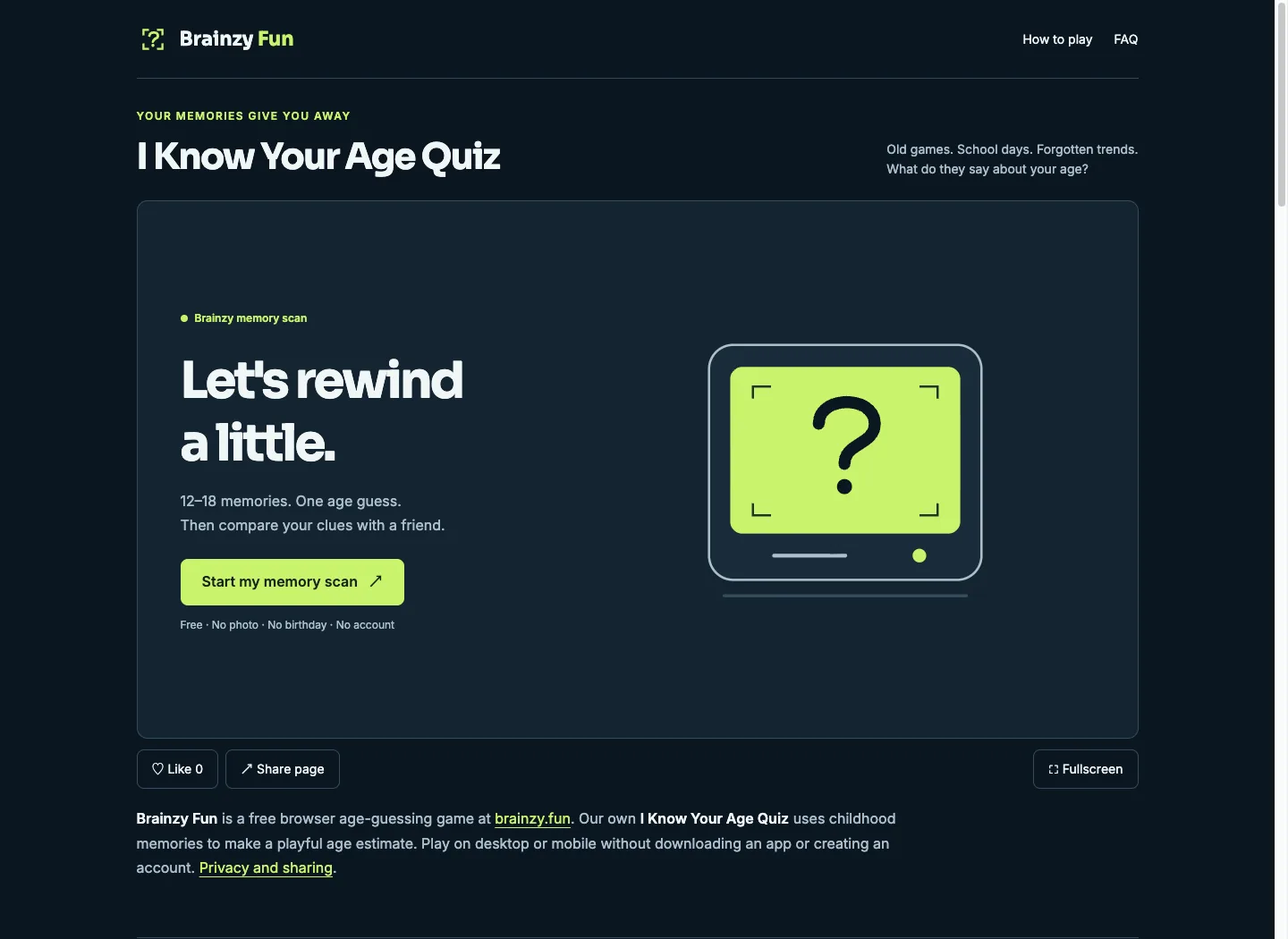
How to Play the I Know Your Age Quiz
Open the official site and start the memory scan. Select the answer closest to your own childhood experience. Knowing an old device from a recent video is different from remembering using it, so read each prompt before choosing.
You can return to a previous question, change an answer or skip a memory you cannot place. The desktop interface also offers keys 1–4 for answers and S to skip. A solo round can adapt its next question to the answers already given.
After answering 12 questions, a result becomes available when at least five answers provide usable clues. You can continue instead, up to 18 questions. Skips do not supply evidence. During our sample round, returning, skipping and opening the early result all worked.
What Your Age Quiz Result Means
A completed round presents a guessed age, a memory range and up to three memory clues. Those clues make the result easier to discuss: which experiences were familiar, and which depended on a particular household, hobby or place?
Brainzy describes version one's scoring as a heuristic. The range is not a scientifically calibrated confidence interval, and the result does not measure mental age, health or verified chronological age. An older sibling's devices or a long-running family habit can shift the pattern.
Our screenshot uses deliberately selected sample answers to demonstrate the result interface. The displayed number is not a tester's real age, an accuracy measurement or a prediction about you.
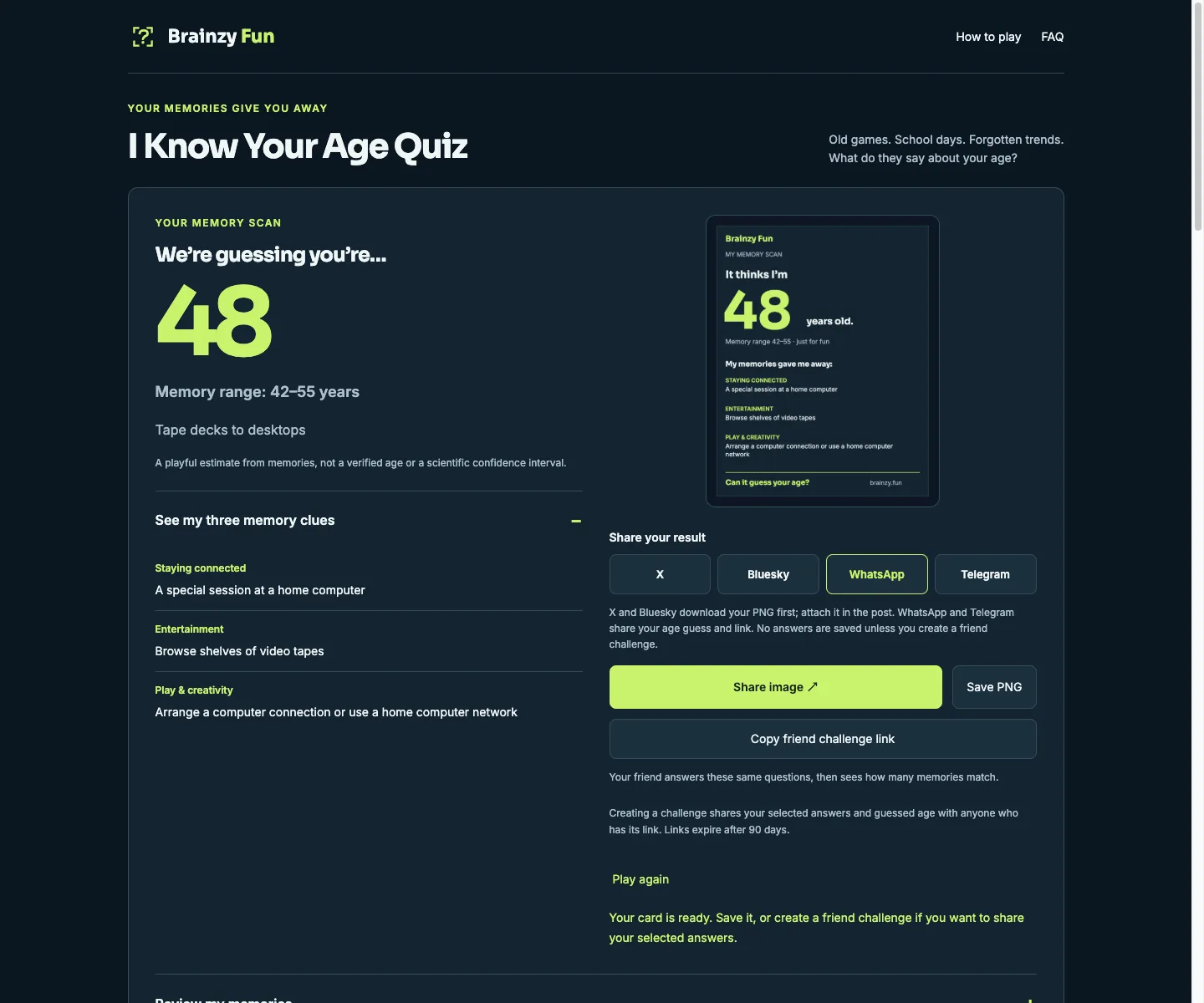
Sources: How Brainzy explains quiz results
Keep a Result, Save a Card or Challenge a Friend
A result image and a friend challenge serve different purposes. The card gives you something to keep or post; the challenge lets another player compare memories using your question order and quiz version. Creating that link changes which data is stored.
Scroll sideways to see all columns
| Option | What it does | Data to consider |
|---|---|---|
| View the result | Shows an age estimate, a range and memory clues in the current page. | Ordinary answers remain in page memory; refreshing or closing can discard the round. |
| Save a result card | Generates a PNG with the guessed age, memory clues and Brainzy branding. | Saving the image alone does not create a stored friend challenge. |
| Create a friend challenge | Keeps the same questions and order, then compares answers after the friend finishes. | Stores answers, guessed age, quiz version and question order for up to 90 days; anyone with the link can access the record. |
Sources: Result images and optional challenge storage · Same-question friend comparisons
Is Brainzy Fun Free to Play?
The I Know Your Age Quiz is presented as a free game on the official website. Playing does not require an account, app download, camera, name, birthday or real age. The reviewed pages do not advertise a paid quiz tier.
The interface supports clicking on a computer and tapping on a phone. Fullscreen, downloads and system sharing depend on browser support. Browser availability alone does not establish offline play or a native mobile app.
Sources: Free browser play and access requirements · Browser feature availability
Privacy: Local Answers and Optional Shared Records
According to the November 25 privacy notice, ordinary answers stay in the open page's memory and the age calculation runs in the browser. The site still processes connection information and may use an anonymous browser identifier for player services and abuse prevention.
Creating a challenge stores the selected answers, guessed age, question identifiers, order and quiz version. Records expire after 90 days, but anyone with the link can access them. Waiting until a friend finishes before displaying the comparison is not a privacy barrier.
The creating browser can remove its challenge while its player identifier remains available; viewers can report a record. Removing a record cannot erase other people's screenshots or copies. The policy separates challenge records from activity events, which it says exclude selected answers and guessed ages. These are published disclosures, not an independent infrastructure audit.
Sources: Brainzy Fun privacy policy
Who Will Enjoy This Nostalgia Quiz?
Choose it for a short personal break or a conversation with friends about growing up. The ability to skip unfamiliar references makes more sense than forcing every player into the same cultural experience, and the visible clues give you something to discuss beyond a number.
Its limits matter if you want a saved account history, validated age detection or a mental age test. Ordinary rounds can disappear on refresh, and the published scoring makes no scientific accuracy promise. The prompts are currently English and rely on cultural memories that will not fit everyone equally.
For a different kind of browser break, DateGuess offers daily history puzzles, while Playlo provides a wider game directory. Those are other activities to explore rather than equivalent age estimators.
Sources: Question scope and estimation limits · Putting cultural memories in context
What LaunchVault Checked
On November 26, 2026, LaunchVault reviewed the official game, About, result guide, privacy notice, terms and contact page. We completed a desktop sample round with synthetic answers, checked previous-question and skip controls, opened the result after 12 answers and observed the generated card preview.
We did not measure age accuracy, audit the full question bank or test every device. Friend challenges, challenge removal, PNG downloads and external sharing were not exercised. The screenshots show the official interface; rules and availability may change after this review.
Sources: Brainzy Fun official game · Contact Brainzy Fun about corrections