By LaunchVault editorial · Official sources checked
AI Toolkits is an editorial directory for people choosing AI tools for creative work and learning. It organizes products around tasks such as editing an image, preparing social posts or studying a topic, then adds information about who each product suits and what to check before using it.
LaunchVault reviewed the public directory, selection standards, one detailed tool listing, an alternatives guide and the site's policies on November 25, 2026. We also checked the learning-category filter. This review concerns the directory's browsing and information structure; it does not test the results of the third-party tools it lists.
What Is AI Toolkits?
AI Toolkits helps you build a shortlist before visiting a provider. The directory gives each tool a description, an intended audience and a pricing label. Detailed entries can expand this into feature explanations, steps, restrictions and links to the sources behind the information.
The service is useful when a broad request such as finding an AI video tool is still too vague to choose a subscription. Start with the output you need, then read about the relevant workflow. You use the selected product on its own website; AI Toolkits does not run all of the listed models in a shared workspace.
Sources: Official AI Toolkits directory · Directory access and third-party product terms
Browse by Task Before Comparing Brands
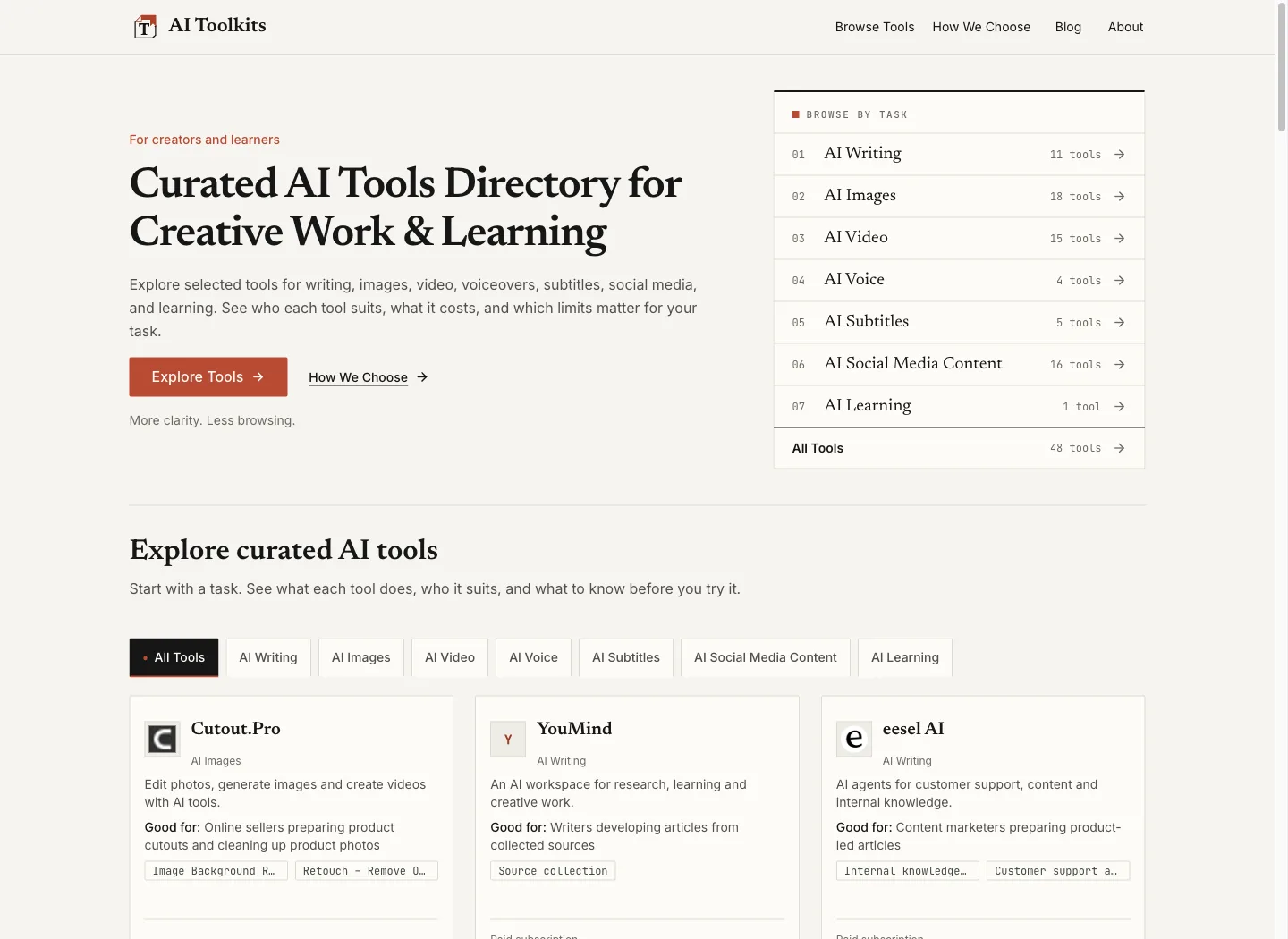
The homepage offers seven categories: writing, images, video, voice, subtitles, social media content and learning. The category controls narrow the visible cards and update the result count. Some products belong to more than one category, so category totals should not be added together as a count of unique tools.
During our check, selecting AI Learning changed the address to the learning-category filter and displayed one result, LearnHarness. That confirms the observed filter behavior, rather than promising that this category will always contain one product. Coverage and the number of entries can change as editors update the directory.
Cards help you decide what to open next. Audience notes distinguish, for example, a tool for preparing product photos from one for drafting social posts. Use these as an initial fit check, then open the detailed entry to inspect the actual input, output and restrictions.
Sources: Official AI Toolkits directory
What Can a Detailed Listing Tell You?
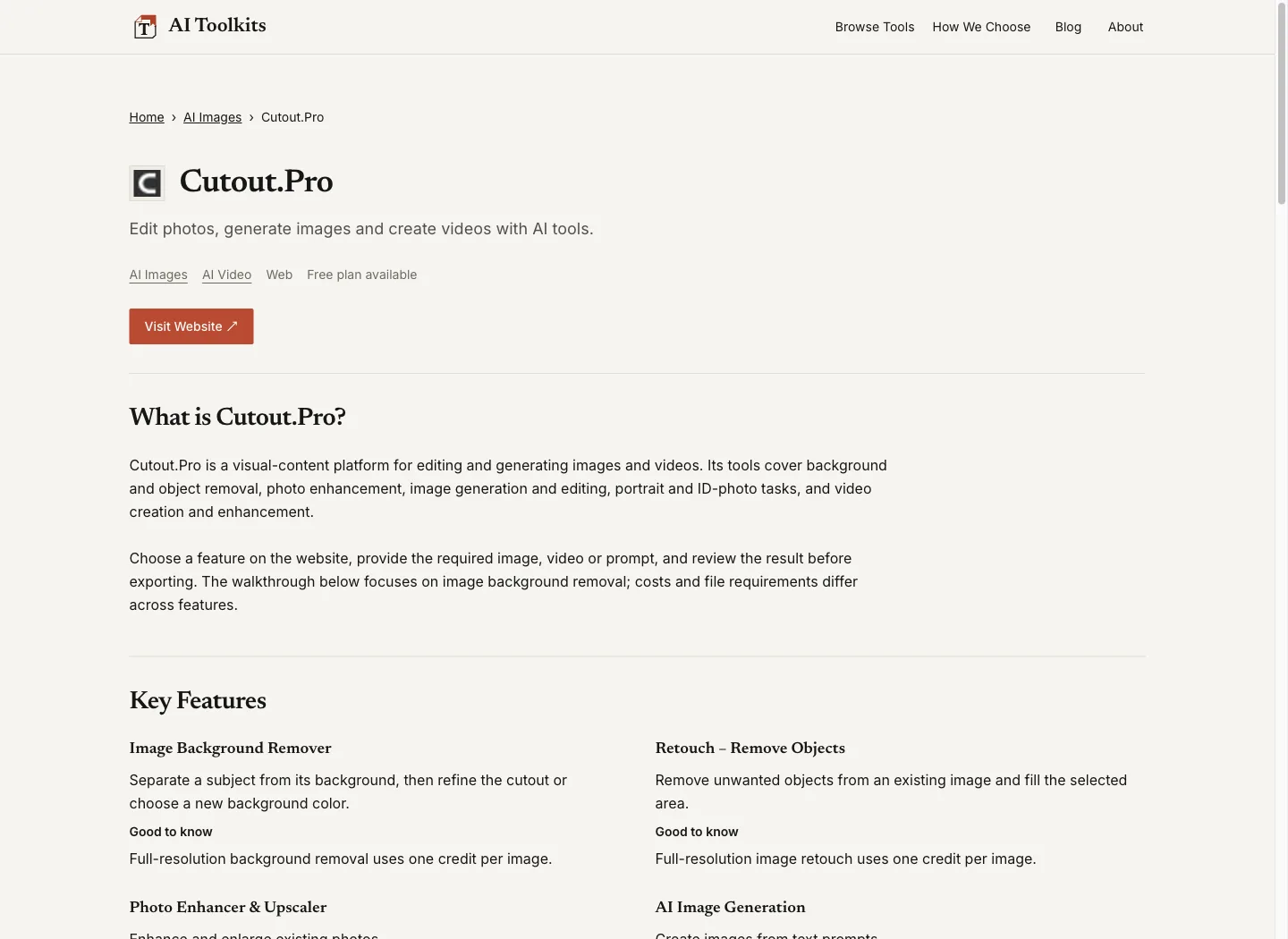
The Cutout.Pro entry illustrates the directory's more detailed format. It describes the product, separates features and audiences, and provides a background-removal walkthrough. The walkthrough identifies input formats, preparation limits, the expected file output and what to review before downloading.
This structure helps connect a general capability to a specific task. A tool may support both image and video features while charging for them differently. Read the feature-specific notes instead of assuming that one starting price or credit allowance applies to everything in the product.
The entry also has a pricing-check date, source links and an explicit statement that no hands-on test was performed. That distinction matters: an editor can verify published documentation without having independently tested image quality or completed a purchase. Detail and verification coverage vary across entries.
Sources: Example listing: Cutout.Pro · Selection standards and corrections
Directory Access and Tool Pricing Are Separate
You can browse the public directory and follow provider links without an account. We found no published visitor subscription offer in the pages reviewed. AI Toolkits says it does not sell the listed providers' subscriptions or handle payments for their products.
A free-plan label belongs to the listed tool, rather than granting access to it through the directory. It may cover previews, a sign-up allowance or a limited feature. Open the pricing section to distinguish recurring allowances from one-time credits, and subscription billing from pay-as-you-go purchases.
Prices, export limits and plan availability can change after an editorial check. The useful next step is to follow the official pricing source for the feature you need. A dated directory summary can help you ask the right questions, but the provider controls the current offer.
Sources: Directory access and third-party product terms · Example listing: Cutout.Pro
Read the Verification Scope, Not Just the Badge
The site's selection standards emphasize a clear task, practical cost information and traceable sources. They also distinguish official information from hands-on findings. On the homepage, some cards explicitly identify information that has not been independently checked.
Treat those labels and dates as a guide to the evidence available for that entry. They do not establish that every feature has been tested or that one tool is better than another. If an important claim lacks a recent source, verify it before relying on it in a production workflow.
Scroll sideways to see all columns
| Information | What it helps you check | What it does not establish |
|---|---|---|
| Audience and task notes | Whether a workflow matches your intended use | That the tool will suit every project |
| Pricing source and check date | Where a pricing summary came from and when it was checked | That the current provider offer is unchanged |
| Hands-on scope or no-test statement | Whether the editor describes a practical test | A benchmark of every feature or competing tool |
| Domain traffic estimate, where available | A separate signal about visits to the provider's domain | Product-specific users or output quality |
Sources: Selection standards and corrections · Example listing: Cutout.Pro
Alternatives Guides Add Workflow Comparisons
AI Toolkits also publishes editorial guides beyond individual cards. Its Codex alternatives guide groups options around terminal work, editors, GitHub workflows and self-managed agent environments. The guide describes its recommendations as an interpretation of official documentation and says it has not run a shared coding benchmark.
This format is useful when the decision concerns how you want to work, rather than a feature checkbox. Read the guide to identify candidates, then compare them on a representative task of your own. We reviewed this guide's structure and sourcing; we did not independently retest the coding products it discusses.
Sources: Codex alternatives guide
Privacy and Content Rights
Browsing without an account does not mean browsing without data processing. The privacy policy describes page views, category choices, link interactions, connection information and operational logs. It identifies Umami analytics and the directory's own usage records, and says first-party usage events do not currently have automatic expiry after a fixed period.
Following a tool link takes you to another operator. That provider decides how it handles uploads, prompts, account information and payments under its own policies. Check those terms before sending work files or paying for a service; the directory's policy does not govern processing by a listed tool.
The terms retain ownership of editorial content and third-party materials with their respective owners. Public access is not a license to republish the directory, use product trademarks without permission or assume commercial rights to a listed tool's outputs. Any output license must be checked with that tool's provider.
Sources: Directory privacy policy · Directory access and third-party product terms
A Practical Way to Build Your Shortlist
Describe the result you need before opening a category. For instance, preparing existing product photos is a different task from generating new campaign imagery. Pick the relevant category, scan the audience notes and open two or three entries that match the task.
For each candidate, note the required input, intended output, account requirements, relevant limits and pricing-check date. Follow its official sources to confirm the current plan. Then try a small, non-sensitive example directly with the provider and inspect the result before committing a larger workload. This is a suggested evaluation method, not a test we completed across the directory.
Sources: Official AI Toolkits directory · Example listing: Cutout.Pro
Who Will Find It Useful?
The directory suits creators, marketers, small teams and independent learners who want a manageable starting point with practical context. Its strongest editorial format connects a task to preparation steps, costs and sources, which can reduce the information you need to gather before a trial.
It is less useful if you need an exhaustive launch feed, public self-service submission or a single subscription covering every listed tool. Coverage is selective, details vary between entries and public registration and submissions are currently unavailable. The administrator sign-in area is not a public account offer.
To report outdated information, the About page asks readers to email the tool name, the detail to correct and an available source. That is a correction channel; it does not establish a public submission or guaranteed listing process.
Sources: Selection standards and corrections · Directory access and third-party product terms
Sources and Review Scope
This listing is based on the official pages below and the browsing checks described above. Screenshots show the public site on the review date. We have not audited every listing, purchased third-party plans, benchmarked generated results or independently measured the directory's traffic estimates.
Sources: Official AI Toolkits directory · Selection standards and corrections · Example listing: Cutout.Pro · Codex alternatives guide · Directory privacy policy · Directory access and third-party product terms