By LaunchVault editorial · Official sources checked
A few clues can turn a familiar historical event into a surprisingly difficult question: when did it happen?
DateGuess offers three small daily challenges in your browser. Guess an event's year, arrange four events chronologically, or identify a historical figure. Each mode gives everyone the same puzzle for that UTC day, with no account or download required.
It suits a short break with something to learn afterward. Choose today's challenge for an unanswered puzzle, or read the year game's archive when you want the story and sources without playing a round.
What Is DateGuess?
DateGuess is an independent daily history game built by a solo developer. Its original Guess the Year challenge uses written clues about a real historical event. Timeline and Guess the Figure add two different ways to explore history on the same site.
The format emphasizes a brief daily visit. The three modes keep their own progress and streaks, so you can choose one or try all three. Comparing a shared puzzle with friends does not require joining a live match or creating a player account.
Choose Your Daily History Game
The modes ask different questions. Guess the Year tests a date, Timeline tests relative order, and Guess the Figure tests recognition from biographical clues. Their attempt limits and archive options differ.
Scroll sideways to see all columns
| Mode | The challenge | Attempts and archive |
|---|---|---|
| Guess the Year | Identify the exact year of one historical event from progressively revealed clues. | Five guesses; past puzzles have reading pages with answers, without replay. |
| Timeline | Arrange four historical events from earliest to latest. | Four tries; no archive or practice rounds. |
| Guess the Figure | Identify one historical person using clues and name suggestions. | Five guesses; no archive or practice rounds. |
Sources: Guess the Year · Timeline · Guess the Figure
Guess the Year from Five Clues
Begin with the first clue and enter a year. The published rules currently accept years from 1000 to 2026. A wrong answer normally indicates how many years earlier or later to try; within three years, the feedback changes to Close! You still need the exact year to win.
Each wrong guess reveals another clue automatically. There is no separate clue-skip control. Solve the event or use all five guesses to reveal its answer, background and Wikipedia source link. A result of 1/5 means a first-guess solve; X/5 means the round ended without the correct year.
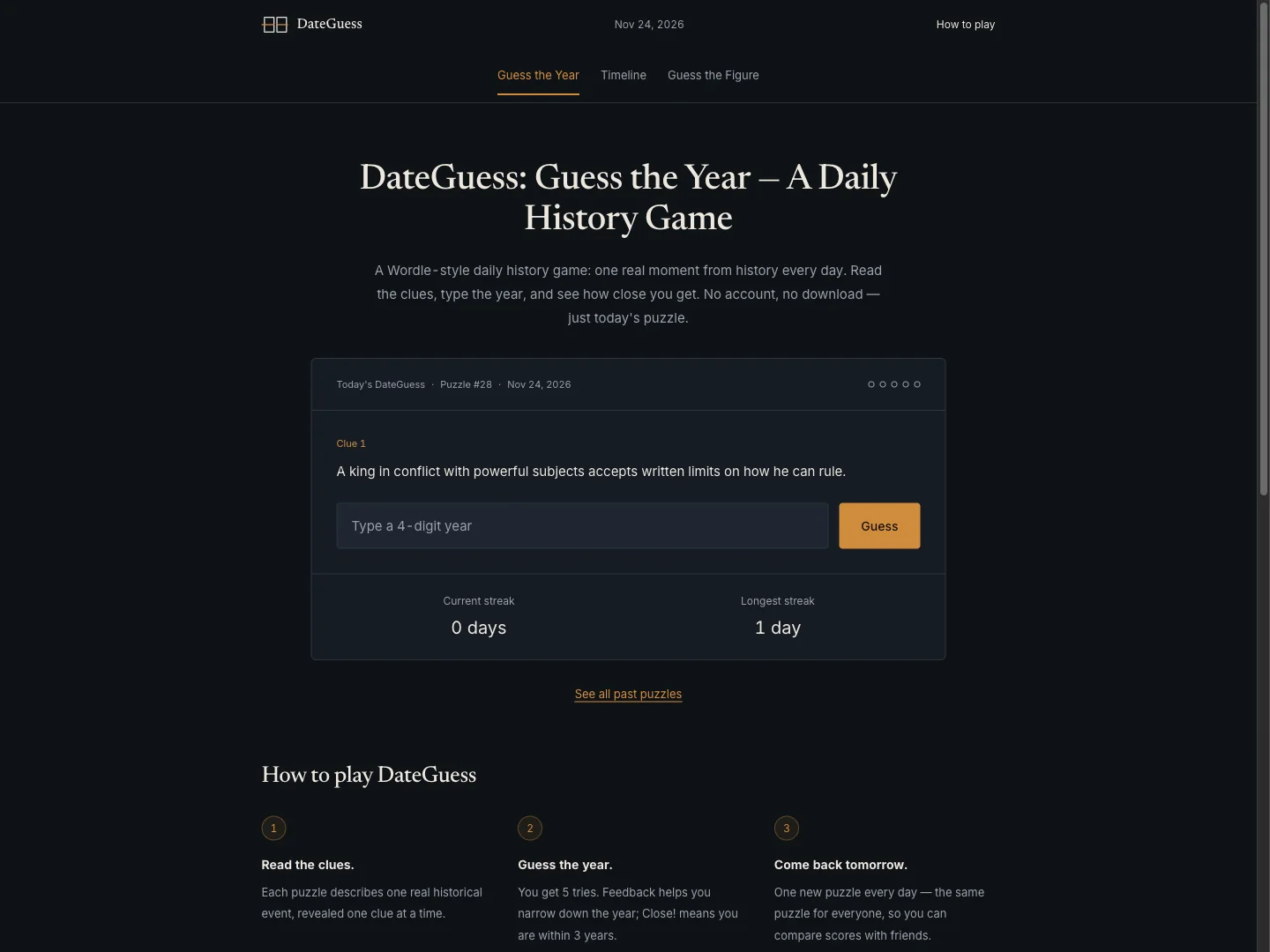
Sources: Guess the Year rules and scoring
Put Four Events in Order with Timeline
Timeline replaces a year input with four event cards. Use their up and down buttons to arrange the events chronologically, then check the order. Correct positions lock in place, leaving the remaining cards to move on the next attempt.
You have four tries, and submitting an unchanged order does not consume another try. Completing the order or using every attempt reveals the years, stories and sources. Its result-sharing format omits the answers. The current mode offers one daily round rather than an archive or unlimited practice.
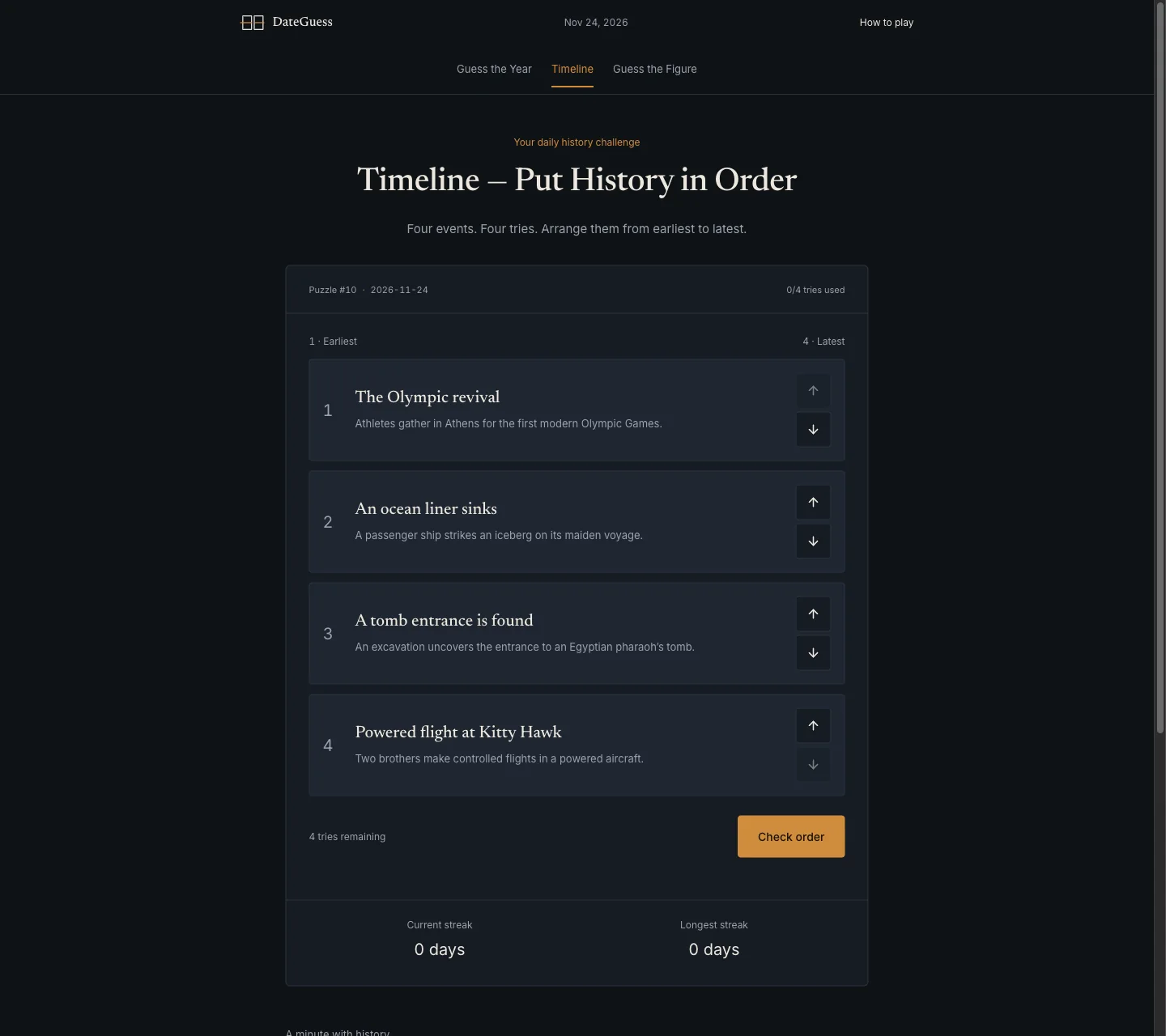
Sources: Timeline controls and attempt rules
Recognize a Historical Figure
Guess the Figure starts with one clue about a person. Search by name or alias, choose a suggestion, then submit it. Suggestions can be selected with the arrow keys and Enter or by tapping a name.
Each wrong guess reveals another clue, up to five guesses. An unrecognized name or repeated guess does not use an attempt. The mode has its own daily progress and streak, and its shared results omit the answer. It currently has no archive or practice rounds.
Sources: Guess the Figure interface and rules
Daily Reset, Streaks and Sharing
DateGuess schedules new puzzles for midnight UTC, with one shared challenge per day in each mode when available. Streaks follow UTC days too. A win on consecutive days continues the current streak; a loss or missed day breaks it. The longest streak preserves the best run.
Progress belongs to the current browser. Returning or refreshing can restore that day's guesses, but another browser or device does not inherit them. Clearing site data removes the saved history. If a puzzle is revised, DateGuess says progress for that version resets with a notice.
Check what you are about to share. The published Guess the Year sharing format includes the answer year, while Timeline and Guess the Figure omit their answers. Send the year game's result to friends after they have played if you want to preserve their challenge.
Sources: Daily reset, streaks and sharing rules · Browser storage and restoration
Read Past Puzzles Without Replaying Them
The Guess the Year archive is free background reading. Entries show the historical event, answer year, all five clues and a longer explanation with a source link. Answers are visible immediately, so opening an archive page is a different experience from an unanswered daily round.
Year puzzles enter the archive after their UTC day ends; today's answer is not published there early. The archive cannot replay past rounds. It is useful for catching up on a missed event, reading the context or following a source after the guessing is over.
Sources: DateGuess archive and its scope · Example archived puzzle with background and a source
Free Access and Who It Suits
The official site presents all three daily games and the reading archive as free, with no account or app download required. The reviewed pages do not advertise a paid tier. The privacy notice also says DateGuess currently displays no advertising.
It fits history fans and casual puzzle players who enjoy a small shared daily challenge. For unlimited rounds, replayable archives or automatic progress across devices, its current format leaves those needs unmet. Browser access does not establish offline support or a native mobile app.
Free play does not grant a software or content reuse license. The reviewed official pages do not specify an open-source software license or permission to republish the puzzle collection; check with the developer if reuse is part of your plan.
Sources: Free play and browser access · About the independent project · Current advertising statement · Contact the developer
Local Progress and Server-Checked Guesses
DateGuess's privacy notice separates saved progress from answer checking. Guesses and streaks are stored in the browser, but submitting a guess sends the puzzle date and that round's guesses to the server. Restoring a round sends its saved guesses again. Timeline sends card order; Guess the Figure sends selected directory identifiers.
The policy says game submissions are not written to a server database or logged by application code. It also discloses self-hosted Umami visit and interaction analytics, excluding entered years, typed text, names, card orders and answers from event properties. It says tracking respects an enabled browser Do Not Track preference.
Website delivery still involves connection information handled by Cloudflare. No account requirement therefore does not mean no network processing. These are the site's published statements; LaunchVault has not independently audited its server, analytics configuration or data retention.
Sources: DateGuess privacy policy, updated November 15, 2026
How to Get Started
1. Open DateGuess and choose Guess the Year, Timeline or Guess the Figure from the game navigation.
2. Read the opening clue or event cards. Check the mode's attempt limit before submitting.
3. Follow the feedback, then read the revealed explanation when the round ends. Check the sharing format before sending a result to someone who has not played.
4. Return in the same browser after the next UTC reset. For extra reading today, open the year game's archive with the expectation that its answers are already visible.
Sources: Open today's DateGuess
Sources and Editorial Scope
LaunchVault reviewed the public game screens, rules, About, privacy notice and an archived answer page on November 24, 2026. The screenshots show the actual official interfaces. We did not submit guesses, complete rounds, test every game outcome or independently verify the historical corpus.
The selection is based on the three distinct daily formats, straightforward browser access and background reading after a puzzle. Device compatibility, storage restoration and server privacy claims were not independently tested. Puzzle content, pricing and rules may change after this review.
Sources: DateGuess official site · Rules for all three modes · Privacy and storage disclosures