How to Find Agent Skills for Claude Code, Codex & Cursor
Learn how to find and choose agent skills for Claude Code, Codex, and Cursor, with practical examples for coding, writing, and debugging.
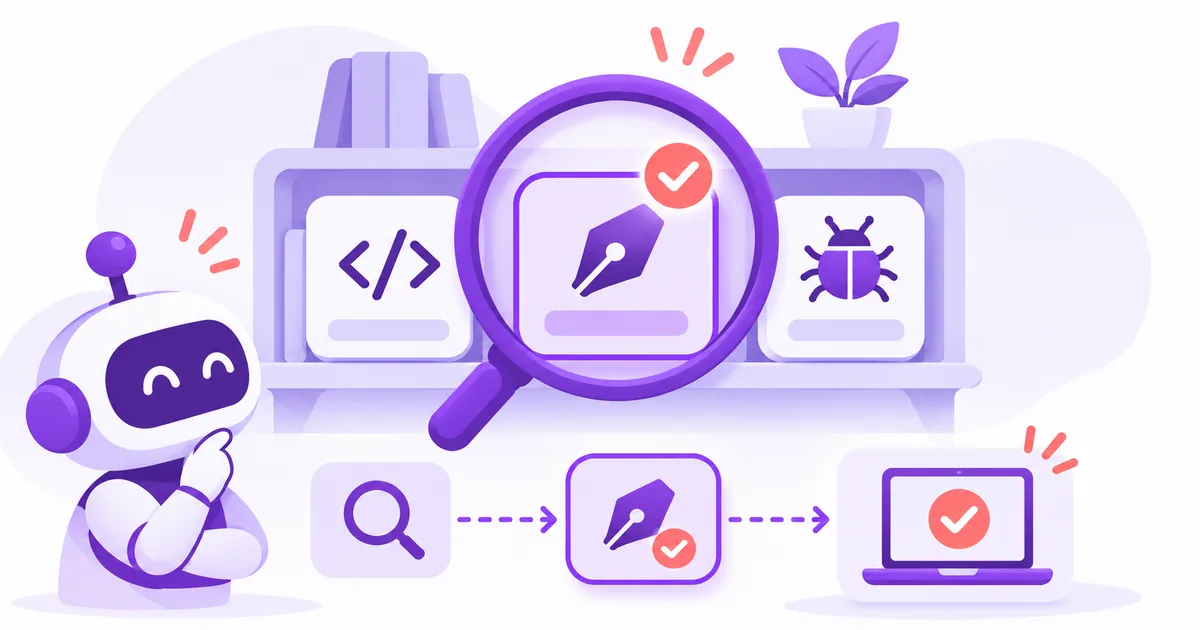
Your next product release might involve reviewing a slow dashboard, fixing a recurring bug, and turning a rough announcement into something customers can understand. Each job gives you a practical starting point for choosing an agent skill.
To find useful agent skills for Claude Code, Codex, or Cursor, start with a task you repeat, look for a resource that fits your agent and environment, and try it on work whose quality you can judge.
In the Agent Skills format, a skill is a folder built around a SKILL.md file. It contains task instructions and may include scripts, references, or templates. Those resources give an agent a reusable process to follow.
The useful question is whether that process helps with something you actually need to do.
Start with a task you already repeat
Think about the work you expect to do again next week. Perhaps you review similar code changes, rewrite release notes, or investigate the same class of bug.
Write down the task, the material you can provide, and the result you want.
| Recurring task | What you can provide | What a useful result looks like |
|---|---|---|
| Review a Next.js page | Page code, related components, and performance observations | Specific findings with code locations and suggested checks |
| Edit a product announcement | Draft, intended audience, and confirmed product details | Clearer copy that preserves the offer and its conditions |
| Investigate a failing test | Error output, reproduction steps, and recent changes | An explanation supported by evidence and a regression check |
This gives you a basis for choosing between skills with similar names. Two resources may both mention code review while focusing on different concerns.
A focused task also makes the first trial easier to assess. You already know what information the agent has and what a useful answer should contain.
Read the requirements before choosing
A promising description should help you understand how the skill fits into your work. Check five things:
- Purpose. Which task does it address, and when should you use it?
- Inputs. Does it need code, a draft, logs, screenshots, or access to another tool?
- Output. Should you expect advice, edited files, a report, or an action?
- Environment. Does it support your agent, and are its dependencies available?
- Source. Can you inspect the original instructions, supporting files, and license?
Pay particular attention to the environment. Instructions that depend on a browser, a test runner, or an authenticated service need those capabilities to be available.
For your first skill, choose a resource whose purpose and setup you can explain in a few sentences. A well-defined scope makes it easier to prepare the right input and notice when the result falls short.
Where to find agent skills
Original repositories
If you already know the publisher or project, start with its repository. Read the README, locate the relevant SKILL.md, and follow any references to supporting files.
For example, Vercel Labs maintains an agent skills collection that includes guidance for React and Next.js performance. A developer working in that stack has a clear reason to investigate the relevant resource.
Your agent’s documentation
Use your agent’s documentation to understand how it discovers and loads skills. Then follow the resource’s setup instructions for that agent.
Keep installation scope in mind: decide whether a skill belongs to one project or should be available across your projects. The agent skills installation guide explains these choices and the checks to perform after setup.
Curated directories
A directory is useful when you know the job you want to do but have not identified a particular skill.
AgentSkills.cc is a practical starting point. It organizes skills by category and agent platform, with publisher information and links to original repositories. You can browse resources for Claude Code, Codex, or Cursor, then open a listing to understand its intended use.
Use those listings to build a small shortlist. Check the requirements and source instructions for the candidates that match your task.
Three starting points for product builders
The following examples connect common product work with skills you can investigate. The sample requests are starting points to adapt after setting up the relevant resource.
Review React and Next.js code
If you are preparing a Next.js product for release, a focused performance review is a reasonable first task.
Vercel React Best Practices covers areas such as data fetching, bundle size, server rendering, and unnecessary re-renders. Its listing links to the Vercel Labs source.
Give the agent a specific part of the application to examine. For example:
Use the React performance skill to examine this dashboard route and its imported components. Find avoidable request dependencies and unnecessary client-side work. For each finding, include the file location, your reasoning, and a small proposed change. Return a review before editing.
A useful response should connect each suggestion to the supplied code. When you apply a change, use comparable measurements to determine whether it improved the page.
Edit a product announcement
A launch announcement needs to communicate what changed, who can use it, and any relevant limits.
The Humanizer skill provides an editing workflow for prose that feels inflated or formulaic. Its detail page explains the expected inputs and includes recorded examples from a limited Codex editing test.
Bring the complete draft and the product facts you need to preserve:
Apply Humanizer to this release announcement for existing customers. Put the new capability and eligibility near the beginning. Preserve the plan names, prices, usage limits, dates, and links. Flag claims that need confirmation, and explain any substantial changes to the wording.
Judge the revision against the original. A shorter announcement is useful when customers can still understand the offer and its conditions.
The page’s examples can help you assess the editing approach. Their documented test scope is limited to manually installed use in Codex; it does not validate every platform or installation method.
Investigate a recurring bug
When a bug survives several attempts to fix it, choose a workflow that makes the evidence explicit.
The systematic-debugging skill describes a process involving reproduction, investigation, hypothesis testing, and verification. Its requirements include companion skills and access to the project’s relevant checks.
Prepare the failure details before starting:
Use systematic debugging to investigate this failure. Begin with the reproduction steps, error output, and recent changes. State a testable explanation and identify the evidence needed to check it. Once the cause is supported, propose the fix and a regression check.
Assess the connection between the explanation and the evidence. A useful investigation should clarify why the failure occurs and how the proposed check would catch it again.
Try one skill on a task you can judge
After choosing a candidate, follow the setup instructions for your agent and confirm that the skill is available. Then use a small, representative task for the first trial.
For a meaningful comparison:
- Run the task in a session where the skill is unavailable.
- Start a separate session with the skill enabled and explicitly select it.
- Keep the input, model, tools, and task constraints as consistent as possible.
- Compare the outputs and relevant actions against the same criteria.
The skill evaluation guide explains this approach in more detail, including how to check that the baseline actually excludes the skill.
Choose criteria that match the job. For a code review, look for valid findings and actionable explanations. For writing, check meaning, accuracy, and audience fit. For debugging, look for a supported cause and an effective verification step.
Repeat a useful result on another representative task before making the skill part of your regular workflow.
Build a workflow you can maintain
Once one skill has proved useful, add another where it fills a specific gap.
For a product launch, you might first work on the interface, then review the implementation, and finally edit the announcement. Each stage should have a clear input and an outcome you can check.
The Claude Code templates collection offers examples of how resources can fit together. Its frontend workflow pairs Frontend Design with React Best Practices, while other entries cover a code reviewer subagent, project instructions, and Humanizer.
Those resource types serve different purposes. A skill supplies a reusable task process; a subagent defines a delegated role; project instructions describe repository facts and conventions. Check which kind of resource you are adding and how it fits your setup.
Keep a short note about each resource you retain: its source, the version or commit you tried, the task it helps with, and any setup requirements. That gives you something concrete to revisit when the resource or your project changes.
Find a skill for your next release
The most useful starting point is a job already on your list.
Choose one page to review, one announcement to edit, or one bug to investigate. Define the result you want, find a relevant resource, and try it with enough context to make the outcome meaningful.
If you are still exploring options, browse AgentSkills.cc by task or platform and open a few relevant listings. Use their descriptions and source links to choose your first candidate.
Build your setup gradually around the workflows that earn their place in your work.