Universal Modder: How to Install and Use the AI Game Modding Toolkit (2026)
Learn what Universal Modder does, how to install it with Claude Code, Codex, or Cursor, and how to create your first AI-assisted PC game mod safely.
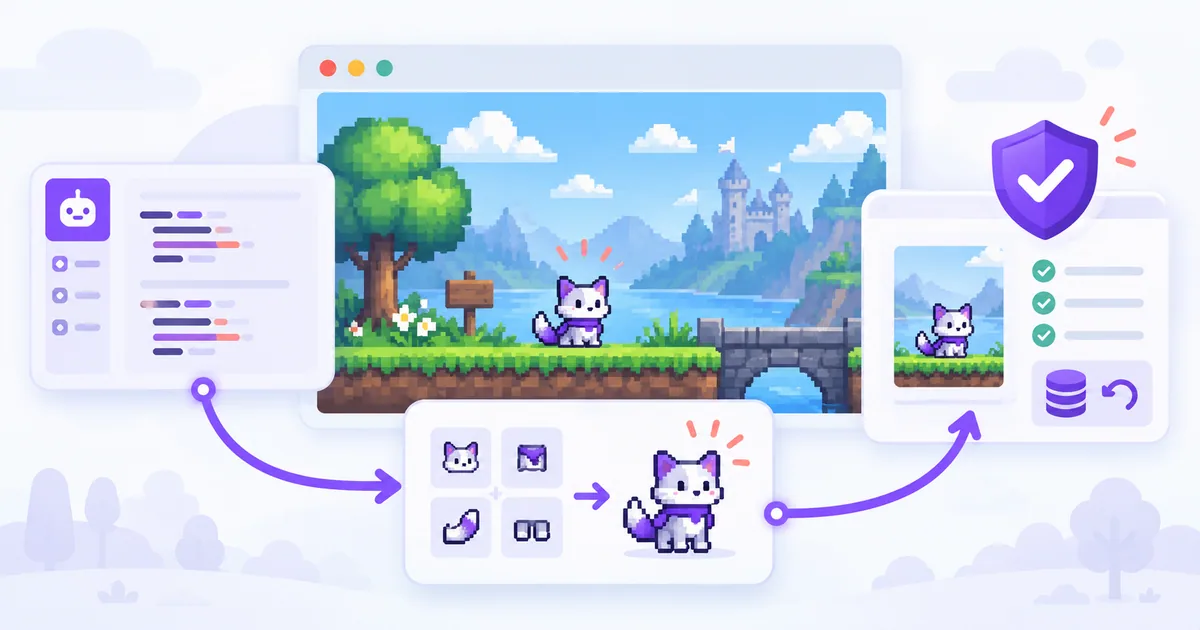
Universal Modder is an open-source toolkit that helps AI coding agents create and test mods for PC games you own. Instead of giving an AI assistant a vague instruction to “mod this game,” it provides a structured workflow for identifying a game's engine, choosing a modding approach, generating assets, testing changes, and documenting the result.
It works with Claude Code, OpenAI Codex, Cursor, Gemini CLI, GitHub Copilot, OpenCode, and other agents that can use its instructions or Agent Skills. The project is free under the MIT license, though AI-model usage and optional asset-generation services may cost money.
This guide covers what Universal Modder actually does, where to find the official GitHub repository, how to install it, and how to approach your first mod without risking your game saves.
At a glance: Universal Modder is a toolkit for building mods, not a website that instantly downloads working mods for every game. A successful result still depends on the game's engine, available loaders, version compatibility, and testing.
What Is Universal Modder?
Universal Modder is a collection of Agent Skills, developer tools, integrations, and game-modding notes maintained in the GitHub repository rehan-remade/universal-modder.
Its central idea is straightforward: an AI coding agent can do more useful modding work when it follows an established process and can access game-specific tools, rather than guessing how a game works from a single prompt.
For example, an agent can use Universal Modder to:
- Inspect a local game installation and identify the engine or likely modding route.
- Research compatible mod loaders and existing community techniques.
- Build a small proof-of-concept mod before attempting a larger feature.
- Generate sprites, textures, 3D assets, or audio with optional tools.
- Run and check a game locally, capture evidence, and prepare a package.
- Record what worked so future attempts do not repeat the same investigation.
The repository combines an Agent Skills layer, a Python command-line tool named um, optional fal/MCP integrations, and a shared knowledge base. These are complementary pieces—not separate magic buttons that guarantee a mod will work.
Universal Modder at a Glance
| Item | Details |
|---|---|
| Official GitHub | rehan-remade/universal-modder |
| Project type | Open-source AI-assisted PC game modding toolkit |
| License | MIT |
| Main interfaces | Agent Skills, um CLI, optional fal MCP integration |
| AI agents | Claude Code, Codex, Cursor, Gemini CLI, Copilot, OpenCode, and compatible agents |
| Typical tasks | Game inspection, mod planning, code changes, assets, testing, packaging |
| Requirements | A local game you own; Git, Python 3.10+, ffmpeg; an AI coding agent |
| Optional tools | uv, fal API, local ComfyUI, Blender for 3D-to-sprite rendering |
| Biggest limitation | Support depends on the individual game and its modding ecosystem |
Source: Universal Modder official README.
How Does Universal Modder Work?
According to the project's documentation, its recommended workflow has ten stages:
- Search previous work: Look for game-specific findings in the knowledge base.
- Inspect the game: Identify the engine, version, installation, save locations, and likely modding route.
- Set up a safe workspace: Make backups and avoid editing the only copy of important files.
- Examine relevant code and files: Understand what the proposed change actually requires.
- Build one working piece: Start with the smallest testable part of the mod.
- Create assets if needed: Use original or generated art and sound instead of redistributing game assets.
- Test inside the game: A successful build is not the same as a working mod.
- Capture evidence: Record screenshots or video when useful.
- Package the mod: Include dependencies, installation instructions, and removal steps.
- Document the findings: Save a field note with versions, verification, and known problems.
This is what makes Universal Modder interesting as an AI developer tool. Its value is not a new underlying AI model; it is an operational process that helps a general-purpose coding agent handle an unfamiliar, error-prone technical task.
What's Included?
| Component | What it helps with | Example |
|---|---|---|
| Agent Skills | Guides an agent through specialized modding tasks | mod-any-game, game-recon, asset-pipeline |
um CLI | Provides game inspection, backup, asset, and publishing utilities | um scan, um backup, um kb |
| Knowledge base | Stores game-specific methods and lessons | Search earlier modding field notes |
| fal integration | Generates images, sprites, 3D, sound, and video | Concept art or custom item sprites |
| Local ComfyUI support | Offers an alternative image-generation workflow | um comfy with a local server |
| Testing/media tools | Helps capture gameplay and prepare a showcase | Screenshots and gameplay clips |
Some capabilities require extra software or operating-system-specific support. For instance, Blender is needed for the documented 3D-to-sprite route; Windows game automation does not automatically work on macOS just because the coding agent does.
How to Install Universal Modder
The easiest installation method depends on which AI coding agent you already use. You do not need to install every integration.
Before You Start
Check that you have:
- A legitimate local copy of a PC game you want to modify.
- Git and Python 3.10 or newer.
- ffmpeg, used by the project's media tooling.
- An AI coding agent, such as Claude Code, Codex, or Cursor.
- A backup of your saves and configuration files, especially if the game contains progress you care about.
The project recommends uv for Python tooling. Blender is optional unless you want to render 3D assets into sprites. A fal API key is optional for generated assets; you can begin with placeholder art.
Option 1: Install Universal Modder in Claude Code
If you already use Claude Code, start a Claude Code session and run these two slash commands inside Claude Code, not in your normal terminal:
/plugin marketplace add rehan-remade/universal-modder
/plugin install universal-modder@universal-modder
That is the installation route documented by the repository maintainers. Once installed, ask Claude Code to inspect a game and propose a plan before making changes.
A good first instruction is:
I want to explore modding a game I own. Use Universal Modder to identify its engine, version, supported mod loaders, and safe options. Do not modify game files or saves yet. Give me a short plan, required dependencies, and a rollback strategy.
This establishes whether there is a reasonable modding path without immediately editing the installation.
Option 2: Install Universal Modder with Codex
The repository documents the following commands for Codex CLI:
codex plugin marketplace add rehan-remade/universal-modder
codex plugin add universal-modder@universal-modder
These commands require a Codex CLI version that supports plugins. If your installed CLI does not recognize codex plugin, use the repository-clone method below instead of assuming installation succeeded.
Option 3: Use Universal Modder with Cursor
The project lists Cursor Marketplace installation or a repository clone. The clone route is easy to inspect:
git clone https://github.com/rehan-remade/universal-modder.git
cd universal-modder
Then open the folder in Cursor. The repository includes AGENTS.md and Cursor-specific configuration such as .cursor/mcp.json.
Review repository instructions and MCP configuration before enabling external tools. Cloning the repository does not itself install a mod into a game.
Option 4: Gemini CLI, Copilot, or Other Agents
For Gemini CLI, the documented extension command is:
gemini extensions install https://github.com/rehan-remade/universal-modderFor VS Code with GitHub Copilot, the repository describes enabling chat.plugins.enabled, selecting Chat: Install Plugin From Source, and providing the GitHub repository URL.
For agents that support Agent Skills, the skills-only route is:
npx skills add https://github.com/rehan-remade/universal-modderYou can also clone the repository and run a compatible agent from that directory. The included AGENTS.md explains the project workflow.
Option 5: Install the um Command-Line Tool Separately
If the um command is unavailable—or you only installed the skills—install the CLI directly from the GitHub repository:
uv tool install git+https://github.com/rehan-remade/universal-modder
um --help
The project also documents pipx as an alternative:
pipx install git+https://github.com/rehan-remade/universal-modderThe CLI provides separate utilities for game scanning, knowledge-base searches, save backups, and more. To explore supported options without guessing arguments:
um scan --help
um backup --help
um kb --help
If your terminal cannot find um after installation, check whether your Python tool manager's executable directory is on PATH.
Optional: Connect fal for AI-Generated Assets
Universal Modder can call fal services for images, audio, video, and certain 3D workflows. Set an API key before using those paid services:
macOS/Linux shell:
export FAL_KEY="your-fal-api-key"Windows PowerShell:
$env:FAL_KEY = "your-fal-api-key"Use an environment variable or other secret-management method rather than putting an API key into a prompt, shared configuration file, or public repository.
You can skip fal entirely for a first code-only mod or use placeholder art. The repository also documents um comfy for image generation through a local ComfyUI server, which requires its own setup and computing resources.
Universal Modder Tutorial: Plan Your First AI-Assisted Game Mod
The safest beginner project is a small, reversible, single-player change, not a total conversion.
For example, suppose you own Terraria and want to explore creating a simple cosmetic item. The official repository includes a Terraria/tModLoader example, but that does not mean every Terraria version or mod concept will work automatically.
Step 1: Ask for Reconnaissance, Not Immediate Changes
Start with a scoped prompt:
I own Terraria and want to experiment with a simple cosmetic item in single-player. First inspect my local setup and identify the game version, compatible mod loader, and required tools. Search Universal Modder's knowledge base for relevant notes. Do not change my game installation or saves without asking me.
The important first result is a plan you can review, not generated code.
Step 2: Back Up Saves and Choose a Test Setup
Before the agent installs a loader or edits files, have it identify the save and configuration directories and create a verified backup. Universal Modder includes backup utilities, but the exact paths depend on the game and system.
If possible, work in a separate mod-manager profile or test installation. Keep an explicit list of files added or changed so you can roll back.
Step 3: Build the Smallest Working Mod
Once the agent has identified the proper game-specific workflow, ask it to produce one minimal feature:
Create the smallest working version of the cosmetic item using a placeholder sprite. Follow the compatible community mod-loader workflow. Explain every file you add. Do not download proprietary game assets. Stop and ask if a new dependency or edit to my game directory is required.
A small proof of concept makes it much easier to distinguish code errors from loader, engine, or version problems.
Step 4: Test in the Actual Game
Ask for the result to be verified with the game running in an appropriate offline test environment.
Confirm that:
- The game starts without new errors.
- The mod is detected by the correct loader.
- The new feature is visible and behaves as expected.
- Existing saves remain intact.
- You know exactly how to disable or uninstall the mod.
A successful compile or an agent saying “done” is not sufficient evidence.
Step 5: Package and Document the Result
Once it works, request installation and removal instructions, dependency information, and a short test log. The project's knowledge-base workflow can preserve game version, modding route, verification steps, and common failure modes for the next attempt.
Expected outcome: a documented, testable modding experiment. The exact time and results vary by game; this walkthrough describes a recommended process, not a hands-on test conducted by Launch Vault.
What Games Does Universal Modder Support?
The project aims to help agents work across many PC game engines. Its playbooks cover ecosystems such as Unity, Unreal Engine, Godot, Bethesda games, Minecraft, .NET/XNA games, Source engines, and others.
That is broader than a short list of hard-coded supported games—but it is not a guarantee that any title can be modded successfully.
The repository includes concrete examples involving:
| Game or Example | What's in the Repository | What It Demonstrates |
|---|---|---|
| Terraria | tModLoader-based example project | Custom items, enemies, and generated sprites |
| Age of Empires II: Definitive Edition | New-civilization example | Asset generation, rendering, and game-specific formats |
| GTA V story mode + Minecraft | Cross-game integration example | Advanced mod architecture and local interoperability |
These are maintainer-provided examples, not projects independently reproduced for this article. The wider list of engine playbooks should be read as potential workflows, not a tested compatibility database for every game.
For a new game, ask the agent to determine its engine, version, existing mod loader, and permitted modding methods before promising a specific feature.
Is Universal Modder Free?
Yes. The Universal Modder repository is MIT-licensed and can be used without paying a license fee.
However, the total cost of making a mod may include:
| Cost | Required? | Notes |
|---|---|---|
| Universal Modder repository | No fee | Open source under MIT |
| AI coding agent/model | Depends | Your Claude Code, Codex, or other provider may charge for access or usage |
| fal asset generation | Optional | API calls may incur usage charges |
| Local ComfyUI | Optional | No fal API key needed for this route, but local compute and setup still matter |
| Game and modding utilities | Depends | You need a game you own; some workflows require extra tools |
For a low-cost first experiment, begin with a small code-only modification and placeholder assets. Add paid generation only after the basic mod works.
Is Universal Modder Safe to Use?
Universal Modder's documentation includes explicit rules for safety, ownership, and publishing. Those rules are useful, but running an AI agent that can inspect and modify local files still requires supervision.
Before using it:
- Back up game saves and test against a reversible setup.
- Use official mod loaders and source repositories rather than random downloads.
- Avoid protected multiplayer clients and anti-cheat systems. Do not bypass DRM or ownership checks.
- Review proposed file changes and commands before allowing an agent to run them.
- Keep API keys private and inspect MCP or plugin configuration.
- Do not redistribute extracted game files or decompiled source with your mod.
- Ask the agent to request approval before installing loaders, controlling input devices, or publishing anything.
The project's own safety notes emphasize offline/single-player use or permitted, self-hosted environments and forbid cheating other players. Always check the game's terms and modding policy.
Source: Universal Modder safety guidance.
Common Installation and Usage Problems
Claude Code does not recognize /plugin. Make sure the command is being entered inside Claude Code rather than a terminal shell, and check whether your installed Claude Code version supports that plugin workflow. The Git clone route is an alternative.
Codex says plugin is an unknown command. The plugin commands require a compatible Codex CLI version. Use the clone/AGENTS.md approach if that interface is unavailable.
um: command not found. Install the CLI from GitHub with uv tool install or pipx, then check PATH. Installing only an Agent Skill does not guarantee the separate CLI is installed.
The game is not detected. Check that it is installed locally and accessible from the environment doing the scan. A coding agent running on macOS or Linux cannot automatically operate a Windows-only game or loader; WSL and native Windows paths may also differ.
fal asset generation fails. Check that FAL_KEY is configured for the process running the integration, that the requested service is available, and that your account has the necessary usage access. Try placeholder art before debugging multiple integrations at once.
The mod builds but does not appear in-game. Verify the actual game version, mod loader, installation location, dependency versions, and game logs. Return to a minimal test case instead of generating more features.
Frequently Asked Questions
What is Universal Modder AI?
Universal Modder is an open-source toolkit that gives AI coding agents game-modding instructions and tools. It can help with game inspection, planning, code, assets, testing, and documentation. It is not a standalone one-click mod download service.
Where can I download Universal Modder from GitHub?
The official repository is github.com/rehan-remade/universal-modder. You can clone it with Git or use the agent-specific installation method described in its README.
Can Universal Modder work with Claude Code?
Yes. Claude Code is a primary supported interface. The official installation method uses /plugin marketplace add rehan-remade/universal-modder followed by /plugin install universal-modder@universal-modder inside Claude Code.
Does Universal Modder support Codex and Cursor?
Yes. The repository documents Codex plugin commands and a Cursor Marketplace or clone-based workflow. It also provides instructions compatible with other agents, including Gemini CLI, Copilot, and OpenCode.
Can Universal Modder mod any PC game?
Not necessarily. The toolkit contains playbooks for many engines, but whether a mod works depends on the individual game's files, version, modding ecosystem, restrictions, and available tools. Treat “universal” as the project's goal, not a compatibility guarantee.
Can I use Universal Modder for Minecraft, Terraria, or GTA V?
The repository includes examples involving Terraria, Age of Empires II, and Minecraft integrated with GTA V story mode. Those examples illustrate particular setups; they do not guarantee support for every version or mod idea.
Do I need a fal API key?
No. You can start with code changes or placeholder assets. A fal API key is needed for the documented fal-based asset-generation workflows. Local ComfyUI is another option for some image-generation tasks.
Does Universal Modder work on Windows, macOS, and Linux?
The agent instructions and some development tooling can run across environments, but the game itself and individual mod loaders may be platform-specific. The project documents native Windows and WSL workflows for Windows games. Check your game and toolchain compatibility first.
Is Universal Modder allowed in multiplayer games?
Do not use it to cheat other players, inject code into anti-cheat-protected online clients, or bypass protections. The project documents constraints around offline play and permitted self-hosted environments. Check the game's rules before making changes.
Final Take: Who Should Try Universal Modder?
Universal Modder is worth exploring if you already use an AI coding agent and want to experiment with game modding. Its strongest feature is the repeatable workflow: inspect first, choose a compatible route, build a minimal change, test in-game, and document the result.
It is less suitable if you expect to select any PC game and instantly receive a finished, compatible mod without setup or troubleshooting.
The best place to start is the official Universal Modder GitHub repository. Choose your coding agent, inspect a game you own, and run a small offline experiment before attempting a larger project.
If you are new to agent tooling, see our guides to Claude Code Skills for developers and what Claude Skills are. You can also explore more AI developer tools on Launch Vault.
Sources and Editorial Notes
This article was researched from public documentation, not written from an independently completed game-modding test. Install commands and feature descriptions were checked against the upstream project on October 10, 2026; verify the latest README before installing because agent tooling changes quickly.
Primary sources:
- Universal Modder — Official GitHub repository
- Universal Modder — README and installation methods
- Universal Modder — Safety, legality, and publishing rules
- Universal Modder — Knowledge base index
Launch Vault is not affiliated with the Universal Modder maintainers. Product names and trademarks belong to their respective owners.