Nano Banana: Google's Gemini AI Image Model Explained (2026)
Nano Banana is Google's Gemini 2.5 Flash Image model for AI photo generation and editing. What nanobanana is, what it does, and how to try it in 2026.
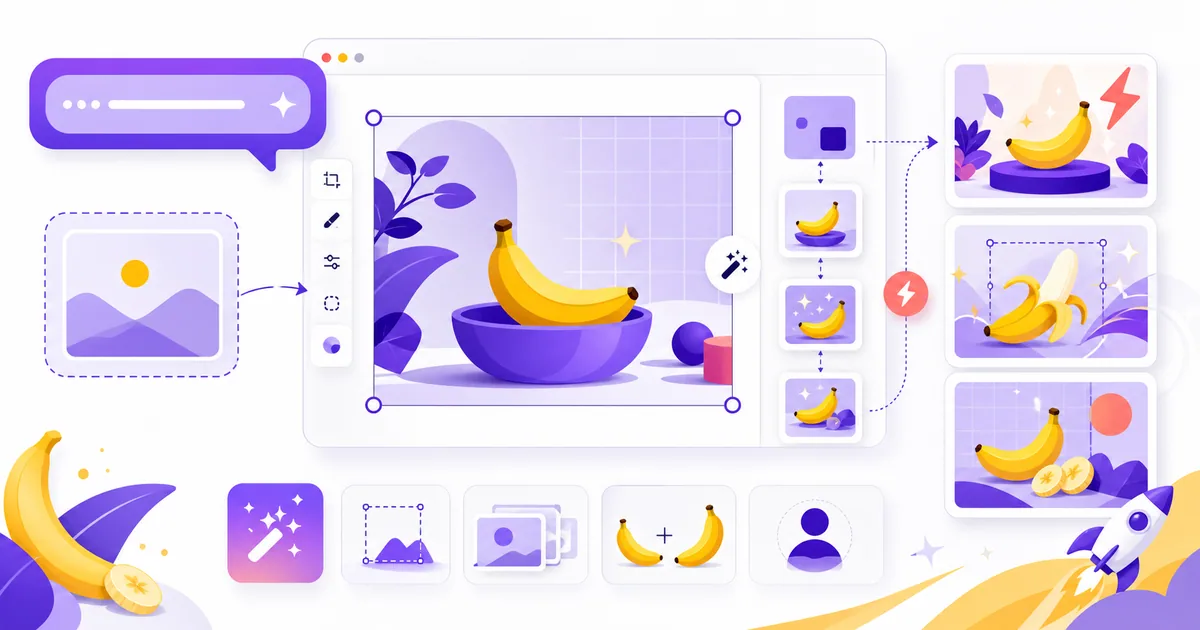
Nano Banana is Google's AI image model — officially Gemini 2.5 Flash Image. It generates and edits photos from plain text: you describe what you want in a normal sentence and it does it, no masks, no layers, no Photoshop. It started as a mystery model on LMArena in mid-2025, but Google has since confirmed it, shipped it to general availability, and followed up with a more powerful version, Nano Banana Pro.
Here's the full picture — what nanobanana is, what it can do, how it differs from Nano Banana Pro, and how to use it today.
What is Nano Banana?
"Nano Banana" is Google's nickname (now an official short name) for Gemini 2.5 Flash Image, a fast text-to-image and image-editing model from Google DeepMind. It first appeared as an anonymous entry on LMArena — the site where two unnamed AI models go head-to-head and people vote on the better output. Testers kept hitting a "weird" model with uncanny detail and consistency, Google engineers dropped banana emojis in threads, and the name stuck.
Google confirmed it in August 2025 and made it generally available in October 2025 through the Gemini app, Google AI Studio, the Gemini API, and Vertex AI. The banana was real all along.
Why it's actually different
Plenty of models generate images. What sets Nano Banana apart is how it edits and stays consistent:
Natural-language editing. You can say "make the background darker," "change her shirt to red," or "remove the person on the left," and it applies just that change while leaving everything else untouched. No masks, no layers, no selection tools — it handles targeted local edits like blurring a background, removing a stain, colorizing a black-and-white photo, or altering a subject's pose.
Characters don't morph. The classic failure of other models is that a character's face drifts every time you put them in a new scene. Nano Banana keeps identity locked, which is why webcomic artists, game devs, and storytellers latched onto it.
Multi-image fusion. You can blend several images into one and keep a coherent style across a whole sequence, not just a single shot.
It's fast. Generations land in seconds rather than the 10–15 second waits common elsewhere — which is exactly what high-volume creative workflows need.
It uses Gemini's world knowledge. Because it's built into Gemini, it actually understands context and complex instructions instead of just matching keywords to pixels.
Nano Banana vs Nano Banana Pro
In November 2025 Google released Nano Banana Pro (Gemini 3 Pro Image), which reached general availability in June 2026. Same banana lineage, bigger engine — it's built on Gemini 3 Pro instead of 2.5 Flash. The differences that matter:
- Text inside images. Pro has industry-leading text rendering — long passages and multilingual layouts come out clean, which the original struggles with. This alone makes Pro the pick for posters, thumbnails, and infographics.
- More subjects, locked identity. Pro preserves identity across up to five subjects in one image.
- Higher resolution and control. 2K/4K output, flexible aspect ratios, plus fine-grained controls for lighting, focus, and camera transformations.
- Better reasoning and grounding. Improved multimodal reasoning and real-world grounding for more accurate results.
The trade-off is cost and speed: the original Nano Banana is cheaper and quicker for high-volume work, while Pro is the premium tier for fidelity and text. For most everyday edits, the standard model is plenty; reach for Pro when you need text, resolution, or multi-subject accuracy. For the full breakdown, see our dedicated guide on Nano Banana Pro (Gemini 3 Pro Image).
What people actually do with it
This isn't just for making art. Real use cases that have shown up since launch:
- E-commerce sellers generate the same product in 20+ colors without reshooting anything.
- Content agencies turn around full campaigns in hours instead of days.
- Game devs produce hundreds of consistent NPC portraits for a fraction of the old cost.
- Architecture firms spin up interior mockups and cut client revision cycles.
- Teachers and creators build diagrams and infographics clearer than textbook art (especially with Pro's text rendering).
How to use Nano Banana
It's fully public now. There are four official ways in:
- Gemini app — the easiest route for non-developers. Just ask Gemini to create or edit an image.
- Google AI Studio — try the model directly in the browser, free to experiment with.
- Gemini API — for developers: send a prompt (and optionally an image) and get a generated or edited image back in code.
- Vertex AI — the enterprise path on Google Cloud.
If you're starting from scratch, follow our step-by-step guide to using Nano Banana for free, and once you're generating, our prompts that actually work will save you a lot of trial and error.
Is Nano Banana free?
You can try it for free in the Gemini app and Google AI Studio, with daily limits. Via the API it's pay-as-you-go — the standard Nano Banana model runs about $0.039 per image (priced at $30 per 1M output tokens, ~1290 tokens an image), while Nano Banana Pro is roughly $0.134 per image (about half that under batch pricing). For the full breakdown of free-tier limits, plans, and whether Google AI Pro is worth it, see our Nano Banana pricing guide.
It's not perfect
It still misfires sometimes — occasional wonky faces, lighting that's off, or a prompt it just misreads. Every image also carries an invisible SynthID watermark so AI-generated content stays identifiable; that's by design and you can't remove it. And the standard model trails Pro noticeably on rendering readable text inside an image.
Why it matters
If you only take one thing away: this isn't another image generator competing with Midjourney on prettier pictures. The point is editing by description — no masks, no layer juggling, no waiting on simple tweaks. You say what you want and it happens, while everything you didn't mention stays exactly as it was.
That's not just coming for Midjourney. That's coming for Photoshop's lunch money — and with Nano Banana Pro now generally available, Google is clearly betting workflows, not hobbyists, are the prize.
Want to see what's built on top of it? Browse the best Nano Banana AI tools and alternatives, or read our hands-on developer review of the model behind the banana.
📚 Related Resources
Want to stay ahead of the AI curve and discover the latest tools before they go mainstream? Check out these comprehensive guides:
- How to Use Nano Banana for Free - A step-by-step guide to generating and editing images with Nano Banana at no cost
- Is Nano Banana Free? Pricing, Plans & Free-Tier Limits - What it costs, the free daily limit, and whether Google AI Pro is worth it
- Nano Banana Prompts That Actually Work - The prompts that get consistent, high-quality results
- How to Stop Gemini From Using Nano Banana - Stop Gemini generating or editing images when you only wanted text
- Google Gemini 2.5 Flash Image: Developer Review - A hands-on look at the model behind the banana
- Best Nano Banana AI Tools & Alternatives - Compare the top Nano Banana generators, editors, and apps
- What is Launch Vault? The Complete Guide - Learn how to get your AI tools and products discovered by engaged communities
Ready to launch your own AI tool or discover the next breakthrough before everyone else? Join Launch Vault's community of makers and early adopters who are shaping the future of technology. Whether you're building the next Nano Banana or just want to stay ahead of the curve, our platform connects you with the people and tools that matter most.