How to Write Nano Banana Prompts: Structure, Formula & Examples
Learn how to write Nano Banana prompts that work. Covers the core prompt formula, six proven prompt structures, camera and lighting vocabulary, character consistency, and when to use Nano Banana vs Nano Banana Pro.

Most people write Nano Banana prompts the same way they'd write a Midjourney prompt: a comma-separated pile of keywords like "portrait, cinematic, 8k, masterpiece, hyperrealistic." Nano Banana (Google's Gemini 2.5 Flash Image, and the newer Nano Banana Pro) doesn't reward that. It rewards description.
The single most important rule, straight from Google's own prompting guidance, is this: describe the scene, don't just list keywords. A clear narrative paragraph almost always beats a bag of words. Once you internalize that, everything else is just structure and vocabulary.
This guide breaks down the formula, the prompt structures that consistently work, and the exact words that give you control. If you just want prompts to copy, jump to our copy-paste Nano Banana prompt library.
The Core Nano Banana Prompt Formula
For generating an image from text, Google recommends a simple ordering that maps to how the model reasons about a scene:
[Strong verb] + [Subject] + [Action] + [Location/context] + [Composition] + [Style]- Start with a strong verb that tells the model the main operation: Create, Generate, Restore, Replace, Transform.
- Subject + action: who or what, and what they're doing.
- Location/context: where the scene takes place.
- Composition: framing, angle, and camera language.
- Style: medium, film stock, color grade, mood.
Here is that formula filled in with one of Google's official example prompts:
A photorealistic close-up portrait of an elderly Japanese ceramicist with deep, sun-etched wrinkles and a warm, knowing smile. He is carefully inspecting a freshly glazed tea bowl. The setting is his rustic, sun-drenched workshop. The scene is illuminated by soft, golden hour light streaming through a window, highlighting the fine texture of the clay. Captured with an 85mm portrait lens, resulting in a soft, blurred background (bokeh). The overall mood is serene and masterful. Vertical portrait orientation.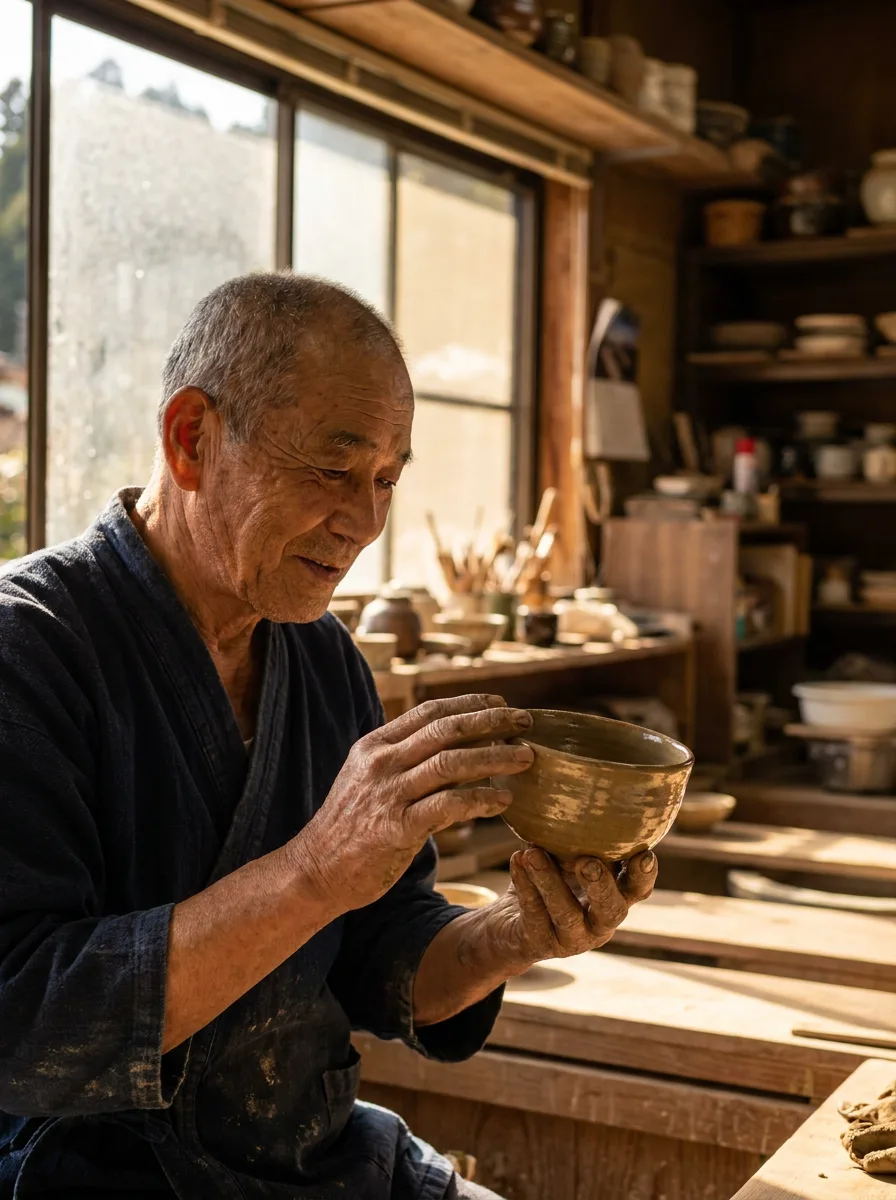
Notice there are no "8k, masterpiece" filler words. Every phrase does a job: subject, expression, action, setting, lighting, lens, mood, orientation.
Six Prompt Structures That Work
Across hundreds of community prompts and Google's own examples, the same handful of structures keep showing up. Pick the one that matches your task.
1. The Descriptive Paragraph (default)
One flowing paragraph that follows the formula above. Best for most single-image generations. This is your starting point unless the scene is complex.
A high-resolution, studio-lit product photograph of a minimalist ceramic coffee mug in matte black, presented on a polished concrete surface. The lighting is a three-point softbox setup designed to create soft, diffused highlights and eliminate harsh shadows. The camera angle is a slightly elevated 45-degree shot to showcase its clean lines. Ultra-realistic, with sharp focus on the steam rising from the coffee. Square image.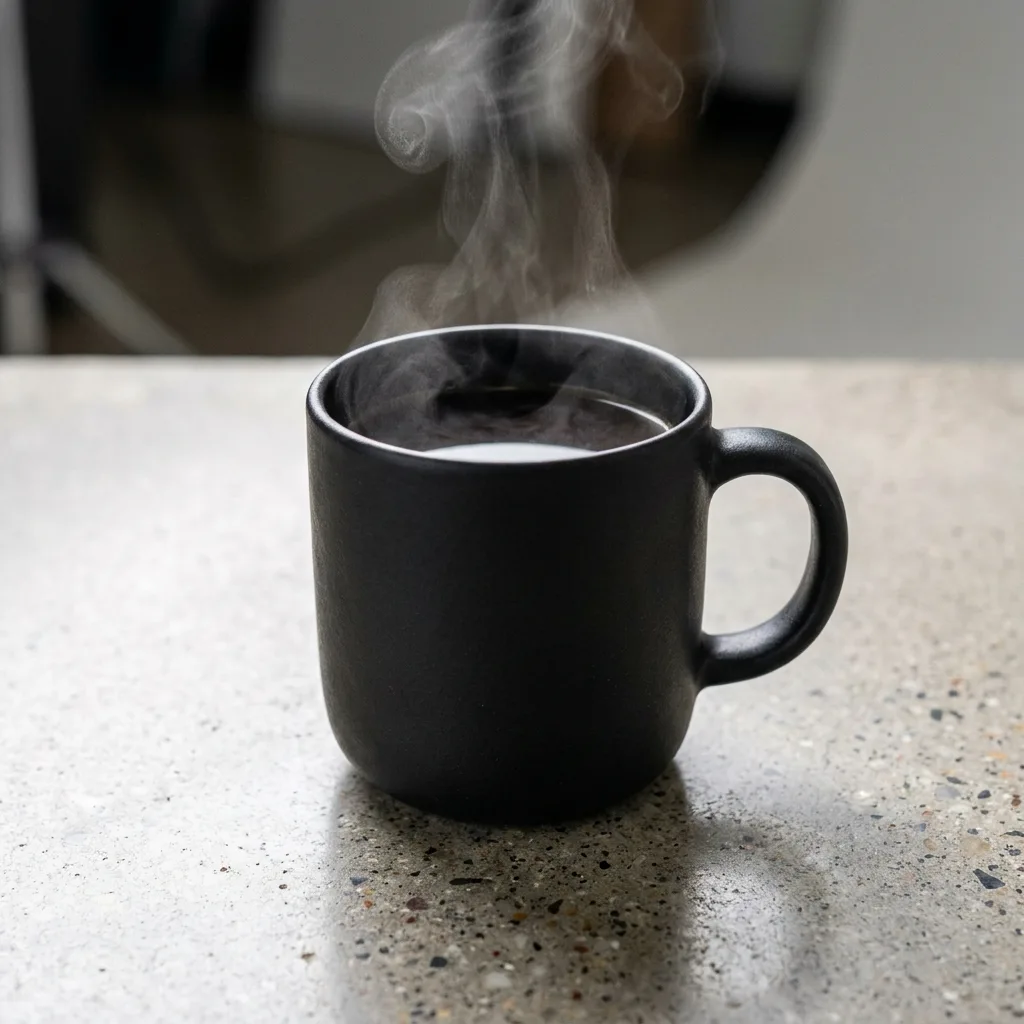
2. The Block Structure (for complex, controlled scenes)
When a scene has many moving parts, break the prompt into labeled sections. This is the most reliable way to get a complicated, consistent result. A common block layout:
### Scene
[One line describing the overall shot and mood]

### Subject
- Appearance, pose, clothing, expression

### Environment
- Setting, props, background details

### Lighting
- Light source, quality, direction, white balance

### Camera
- Shot type, focal length, depth of field

### Negative
- What to avoid, stated positively where possible
Each block keeps a category of detail from bleeding into another. Use it for editorial portraits, detailed interiors, or any "everything has to be exactly right" shot.
3. Parameterized Templates (for reuse)
If you'll run the same prompt many times with small changes, write it as a template with named variables, then swap values:
Use the exact face and identity to create a portrait of a person wearing {outfit}. They strike a relaxed fashion pose. The setting is {location}. Natural light from a large nearby window, sharp focus on the subject with a soft bokeh background, cinematic color grading.Replace {outfit} and {location} per run. This is how prompt libraries scale a single proven recipe into dozens of variations.
4. JSON-Style Prompts (for many controlled fields)
For commercial work where you want explicit control over a lot of attributes, a structured key/value prompt reduces ambiguity:
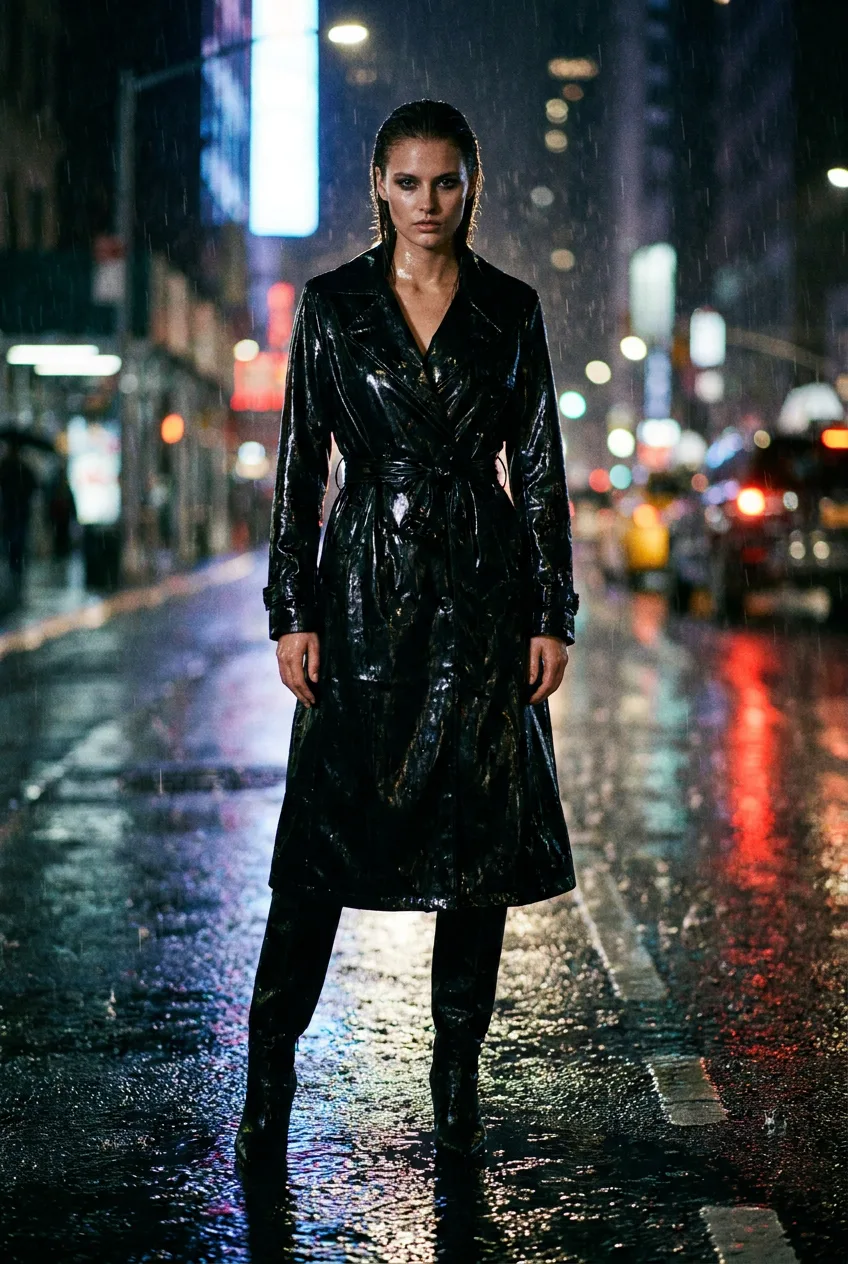
{
  "shot": "full-body fashion editorial",
  "subject": "model in a wet-look black trench coat",
  "lighting": "hard rim light, deep shadows",
  "background": "rain-soaked city street at night",
  "lens": "35mm, shallow depth of field",
  "mood": "moody, high fashion"
}
The model reads this as a clear spec. Great when a paragraph would get long and easy to misread.
5. Editing & Preservation Prompts (the key to good edits)
This is where Nano Banana shines and where most people go wrong. An editing prompt must say what changes and what stays exactly the same. The reliable pattern is:
[Operation] + [Intelligent fill instruction] + [Consistency constraints]Using the provided image, change only the blue sofa to a vintage brown leather chesterfield sofa. Keep everything else in the image exactly the same, including the pillows, the rug, the wall art, the camera angle, and the original lighting and shadows.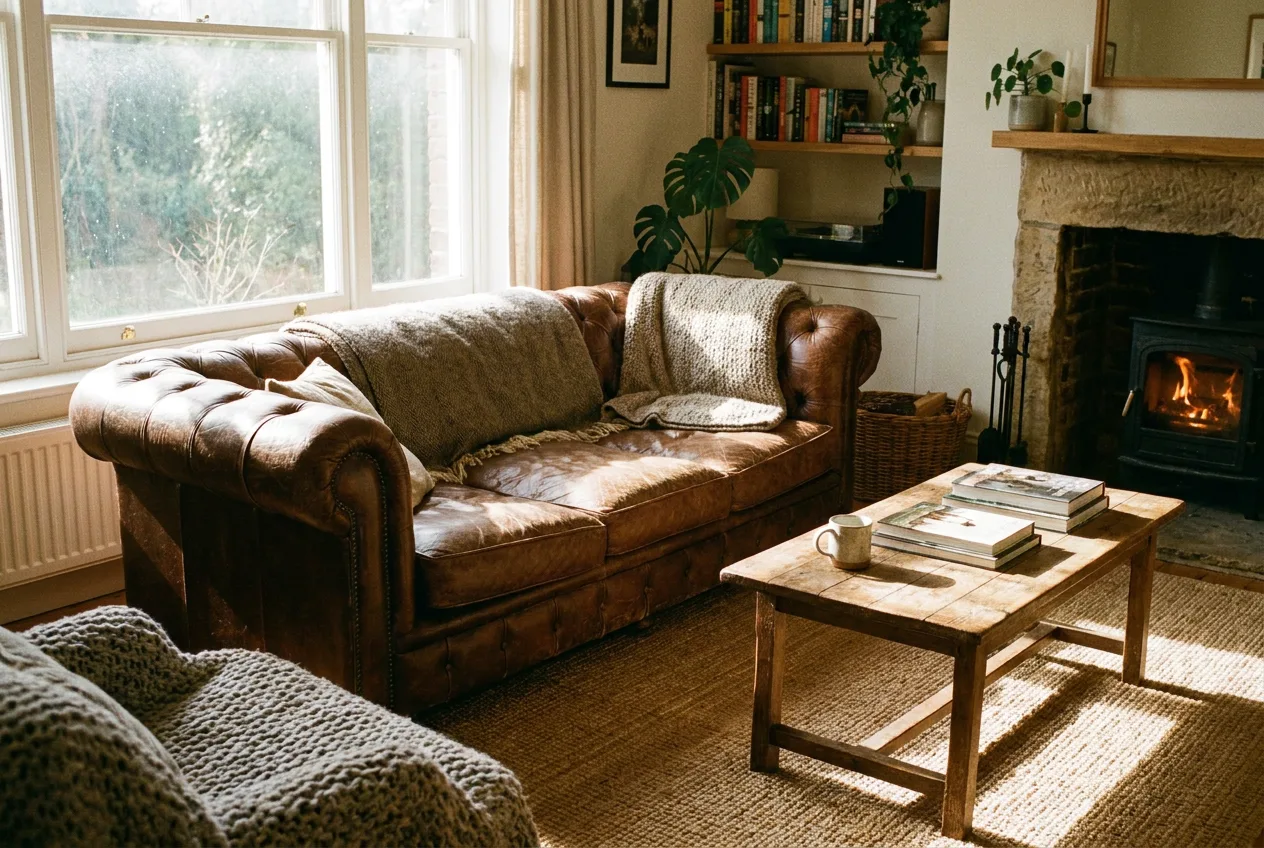
The "keep exactly the same" clause is doing the heavy lifting. For removals, also tell it how to fill the gap: "fill the removed area naturally with matching texture, grain, focus, and lighting."
6. Reference-Image Relationship Prompts (multi-image)
Nano Banana can take multiple reference images (Pro accepts up to 14). When you do, name each reference and state the relationship:
[Reference images] + [Relationship instruction] + [New scenario]Using the attached napkin sketch as the structure and the attached fabric sample as the texture, transform this into a high-fidelity 3D armchair render. Place it in a sun-drenched, minimalist living room.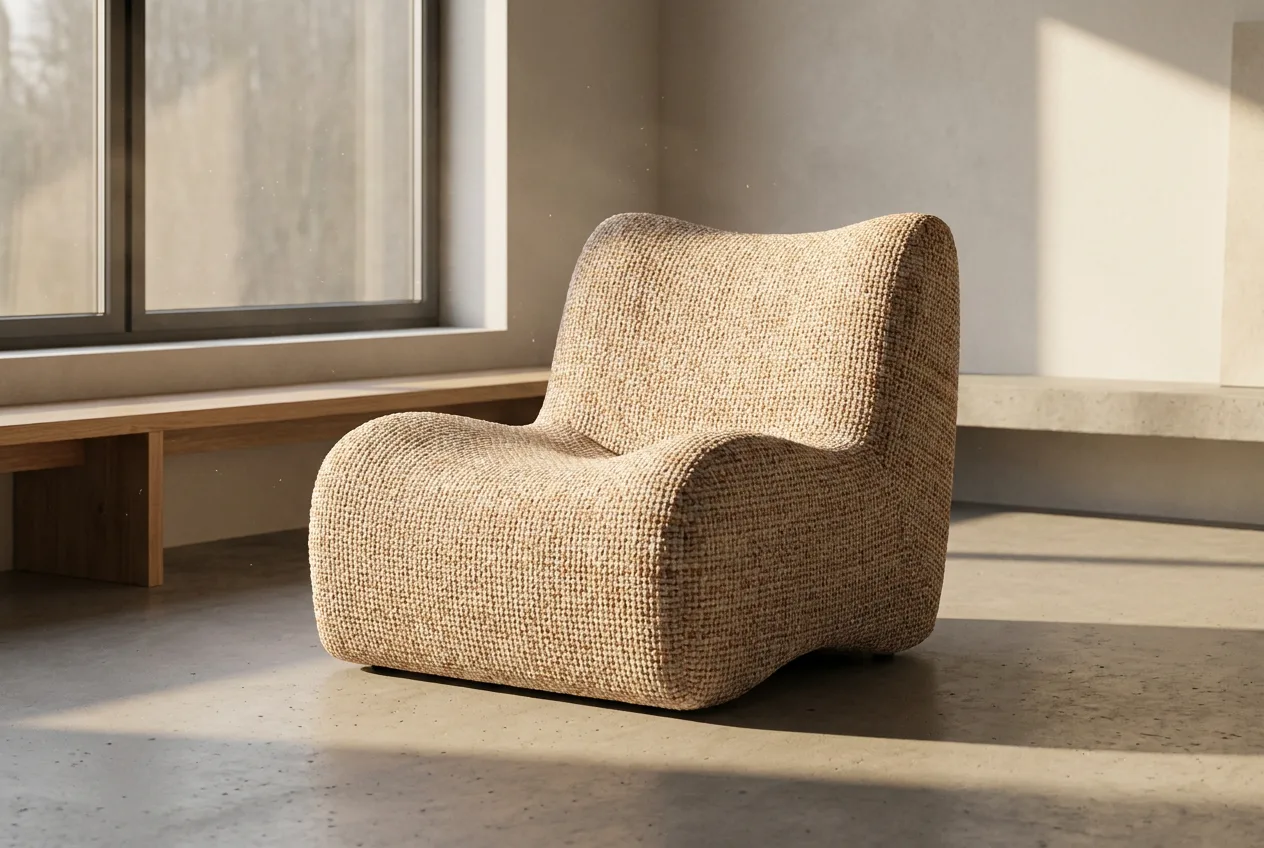
For face swaps, character work, or "put product X in scene Y," this structure tells the model exactly which image supplies what.
The Building Blocks: Vocabulary That Gives You Control
Strong prompts are specific. These are the levers worth learning.
Camera & lens — control framing and depth:
wide-angle shot, macro shot, low-angle perspective, aerial view, Dutch angle, 85mm portrait lens, f/1.8 shallow depth of field, fisheyeLighting — control mood and realism:
three-point softbox setup, soft diffused light, golden hour backlighting, chiaroscuro high-contrast lighting, narrow-beam spotlight with sharp falloff, white balance 5200KColor & film — set the era and tone:
cinematic color grading with muted teal tones, rendered as if on 1980s color film with slight grain, warm editorial color gradeMaterials & texture — kill the "generic AI" look by naming materials:
navy blue tweed jacket, ornate elven plate armor etched with silver leaf, matte ceramic, brushed aluminum, soft knit woolText in images — put the exact words in quotes and describe the font:
render the text "The Daily Grind" in a clean, bold, sans-serif fontCharacter & Identity Consistency
To keep a face or character consistent across edits and scenes, add an explicit preservation clause:
maintain the exact facial structure, identity, proportions, and key features of the person in the input imageFor full multi-scene consistency, generate a reference sheet first, then reuse it:
Create a 360-degree character reference sheet for this character: front, side, three-quarter, and back views in one clean layout. Preserve consistent facial features, hairstyle, body proportions, outfit, and colors. Neutral studio lighting, plain background.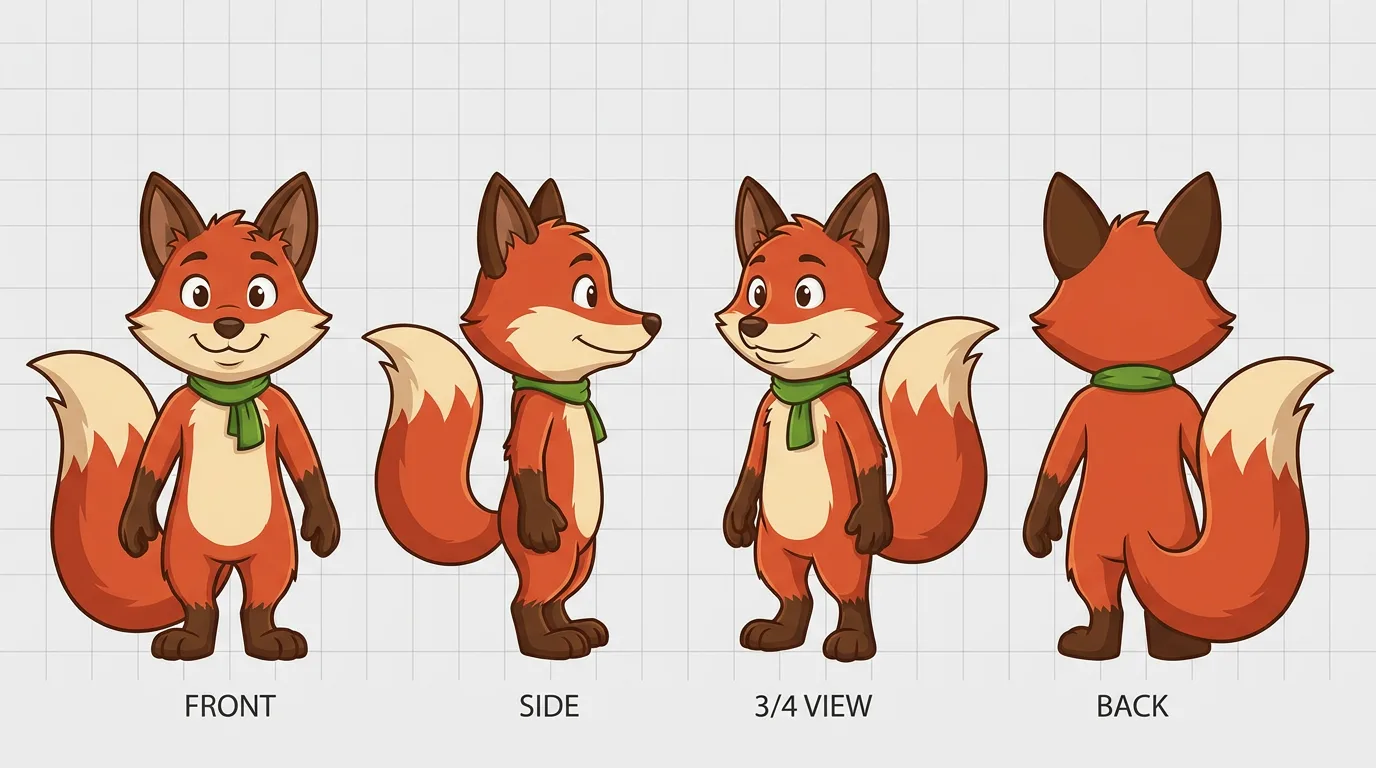
Then drive new images with: "Using the character reference image, place the same character in [new scene]. Preserve the exact facial features, hairstyle, outfit, and proportions. Change only the pose, environment, and lighting."
Nano Banana vs Nano Banana Pro: Which to Use
They take the same prompts, but they're good at different things.
| Use it for | Best model |
|---|---|
| Quick edits, conversational tweaks, style transfer, fast iteration | Nano Banana (base) |
| Accurate text, logos, infographics, multi-panel layouts, complex composition, higher resolution (2K–4K) | Nano Banana Pro |
Rule of thumb: if the result depends on readable text or a precise layout, use Pro. If it's a fast visual edit, base Nano Banana is quicker and cheaper.
Common Mistakes and How to Fix Them
Keyword soup. "portrait, cinematic, 8k, masterpiece" gives the model nothing to anchor to. Fix: write a sentence describing the actual scene.
Negative phrasing. "no cars, no people" often backfires. Fix: describe the positive — "an empty, deserted street at dawn."
Vague edits. "make it better" or "change the background" without constraints drifts the whole image. Fix: say what changes and explicitly list what to keep.
Trying to do everything in one shot. Fix: iterate. Nano Banana is conversational — generate, then refine with "keep everything the same, but make the lighting warmer."
Over-editing faces. Restoration and beauty edits can turn skin plastic. Fix: add "preserve natural skin texture, avoid over-sharpening."
FAQ
What is the best structure for a Nano Banana prompt? Start with the descriptive paragraph formula (strong verb + subject + action + location + composition + style). Switch to the block structure when a scene is complex, and to editing/preservation prompts whenever you're modifying an existing image.
Why do my keyword-style prompts produce bad results? Nano Banana is tuned for description, not keyword lists. A narrative sentence gives the model context that disconnected words can't.
How do I keep a character's face consistent? Add an explicit clause like "maintain the exact facial structure and identity," and for multi-scene work, build a 360-degree reference sheet first and reuse it.
Should I use Nano Banana or Nano Banana Pro? Use Pro when the output needs accurate text, logos, infographics, or complex layouts; use base Nano Banana for fast edits and iteration.
How long should a Nano Banana prompt be? As long as it needs to be specific, and no longer. Every phrase should add real information about subject, setting, lighting, composition, or style.
Next Steps
- Grab ready-made prompts in our copy-paste Nano Banana prompt library.
- Want real-world test notes? Read Nano Banana prompts that actually work.
- New to the model? Start with our free Gemini Nano Banana guide.
- Comparing tools? See the best Nano Banana AI tools.