Hotel Lobby AI Trend Explained: How to Make Your Own Video
What is the Hotel Lobby AI trend? Learn where the orange-studio meme came from, how the AI versions are made, and how to make your own from two photos.
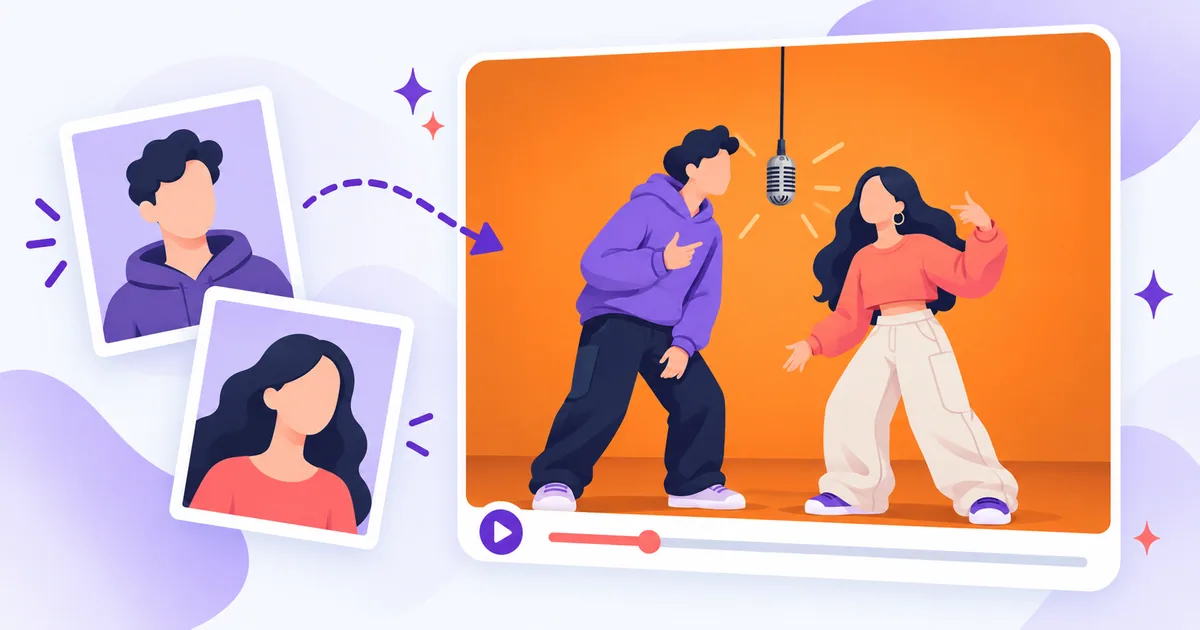
If you have opened TikTok or X since mid-September 2026, you have probably seen it: two unlikely people crowded around one microphone hanging from the ceiling, taking turns on the mic in front of a bright orange wall. TV characters, footballers, cats, couples and best friends have all had their turn. This is the Hotel Lobby AI trend, and it spread across both platforms within days.
This guide explains what the trend is, where it came from, the different ways people make these videos, and how to make your own Hotel Lobby AI video from two photos, including what it costs and what to check before you post.
Quick answer: The Hotel Lobby AI trend recreates a 2022 two-person music performance (an orange backdrop and one shared, hanging microphone) with new people swapped in by AI. To do the trend with your own people, upload one photo of each person to a reference-based generator such as Hotel Lobby AI, choose the length and soundtrack, review the credit cost, and download the MP4.
Disclosure: Hotel Lobby AI (aihotellobby.win) is one of our own products. We checked everything we say about it, including its limits, against the live site, and we cover the other ways to make the trend too.
What is the Hotel Lobby AI trend?
The trend copies one instantly recognizable scene: two performers share a single microphone that hangs from the ceiling of a studio painted bright orange, and they take turns on the mic. In the AI versions, the original performers are replaced with someone else: TV characters, athletes, historical figures, pets, or ordinary people doing it with a friend or partner.
You will see it called a meme, a rap trend, a challenge, or simply "the orange room video". The format works because the stage never changes. Viewers recognize the scene in a second, so all the fun comes from who is standing at the mic.
Where the Hotel Lobby trend came from
The scene comes from a real performance, not an AI template:
| Date | What happened |
|---|---|
| June 17, 2022 | COLORS publishes Quavo and Takeoff performing "Hotel Lobby" on A COLORS SHOW, sharing one hanging microphone in front of an orange backdrop. The video has since passed 100 million views on YouTube. |
| September 16, 2026 | A TikTok edit swaps two characters from the TV series Suits into the scene. According to Know Your Meme, it passed 1.7 million views in 12 days. |
| September 18–25, 2026 | Versions with cats, a historical figure paired with a footballer, and a celebrity couple spread across TikTok and X. |
| September 23, 2026 | Quavo reposts the original performance on X as the AI versions spread. |
Takeoff died in November 2022, a few months after the performance was released, so the original carries real weight for many fans.
Because Quavo and Takeoff were members of Migos, many people also search for the trend as "Migos AI". It is the same format under a different name.
Hotel Lobby AI is an independent tool. It is not affiliated with or endorsed by the original artists, COLORS, or the song's rights holders.
How people make Hotel Lobby AI videos
"Hotel Lobby AI" is not one technique. Different tools use the same name for very different workflows, and they do not produce the same result. Before you pick one, it helps to know what each approach actually changes:
| Approach | What you provide | What you get | Example |
|---|---|---|---|
| Built-in reference recast | Two photos | The built-in performance with both people fully replaced: face, hair, outfit and accessories | Hotel Lobby AI |
| Two-photo prompt | Two photos and a detailed text prompt | A brand-new orange-booth scene; the movement and audio will not match the original | Dreamina (CapCut), Seedance 2.5 |
| Motion reference | Character reference sheets and a line-art motion clip | A rebuilt performance with no audio; you add the song afterwards in an editor | Kapwing's Seedance 2.5 workflow |
| Bring-your-own-clip transform | Your own source video (4–30 seconds) and reference images | Your clip rebuilt with new characters or swapped objects | Higgsfield Genjutsu |
| Face swap | An existing video and face photos | Only the faces change; hair, bodies and outfits stay as they were | Face-swap apps |
Editing templates, such as Kapwing's Hotel Lobby AI Trend template, are a separate step: they add music, captions or cuts to a video you already have, but they do not create new people.
Which approach fits?
- You want the familiar performance with your own two people and no prompt writing: a built-in reference recast.
- You want a new scene described in your own words: a two-photo prompt tool. Expect the movement and audio to differ from the original.
- You want maximum control and do not mind several steps: a motion-reference workflow or a clip-transform tool. Both take more preparation, such as character sheets or your own source clip, and usually need an editor for the audio.
- You only need the faces changed: a face swap.
For a closer look at what each method keeps and changes, see Hotel Lobby AI template vs prompt vs face swap.
How to make a Hotel Lobby AI video from two photos
Here is the full process with Hotel Lobby AI, which runs in the browser on your phone or computer. There is no app to install and no prompt to write: the reference performance is built in, and your two photos replace both performers. According to its About page, the generator runs on Kling 3.0 Omni, accessed through KIE.
Before you start
- One clear photo of each person. JPG, PNG or WebP, up to 10 MB, at least 512 pixels wide and tall.
- Permission from both people. Each photo must show one adult who agreed to be in the video.
- Credits for the generation step. You can upload photos and explore the options before you sign in or pay anything.
Step 1: Upload your two photos
Open the generator on the homepage and find Upload two photos. Your first photo becomes the left performer and your second becomes the right. Use Swap if you want them the other way round.
Step 2: Choose the length
Pick a 5-, 10- or 15-second video. They use 30, 50 or 70 credits, and 10 seconds is the default.
Step 3: Choose the soundtrack
Original audio keeps the template's vocals and music; it is not your own voice. Silent video has no audio track, which is handy if you plan to add your own licensed sound later. Both cost the same.
Step 4: Confirm permission and sign in
Tick the permission box and select Sign in & continue. Your photos and settings stay saved on that device while you sign in.
Step 5: Review the quote
Your photos upload privately, and you get a credit quote for that exact video. If your balance is too low, you can buy a credit pack without losing your draft. Buying credits never starts a video on its own.
Step 6: Generate
Select Generate video. The quoted credits are reserved and the job starts. Rendering takes several minutes, but you can close the page while it runs and follow progress in My videos.
Step 7: Review the whole clip, then download
Watch the full video before you download it:
- Sides: is each person where you placed them?
- Faces: do both people look like themselves from start to finish, without turning back into the original performers?
- Outfits and accessories: do they match the photos?
- Audio: with Original audio, the vocals come from the template, so lip sync can drift.
Then download the 720p, 16:9 MP4 from My videos. Results stay available for 7 days, so save yours before then. Keep the site's own step-by-step Hotel Lobby AI guide open as a checklist while you work.
Want to see real output first? The Hotel Lobby AI video examples show finished videos next to the two input portraits used to make them.
Best photos for the Hotel Lobby trend
Your photos do most of the work. The AI carries over the face, hair, outfit and accessories it can see, and it cannot invent details that are not in the picture. Use this checklist:
- One person per photo. Crop out anyone else, including people in the background.
- A clear, visible face. Looking at the camera or slightly turned, eyes open, with no sunglasses, mask or hand in the way.
- Shoulders and upper body in frame, wearing the outfit you want in the video. A tight face crop leaves no outfit to copy.
- Even lighting. Avoid strong backlight, deep shadows and colored party lights.
- Sharp and unfiltered. No motion blur, beauty filters or face-changing effects.
Two things a photo cannot do: it will not show a real height difference between two people, because they were photographed separately, and the pose in your photo does not change the performance, because the movement always follows the reference. The full Hotel Lobby AI photo checklist covers each point in more detail.
Is Hotel Lobby AI free? Pricing explained
Not for generating videos. Choosing photos and checking the options is free, but every video uses credits, and there is no free trial. Credits come in one-time packs with no subscription and no automatic renewal:
| Pack | Price | Credits | 10-second videos | Approx. cost per 10-second video |
|---|---|---|---|---|
| Try it | $9.99 | 100 | 2 | $5.00 |
| Starter | $29 | 350 | 7 | $4.14 |
| Creator | $59 | 1,000 | 20 | $2.95 |
| Pro | $99 | 2,000 | 40 | $2.48 |
| Studio | $199 | 5,000 | 100 | $1.99 |
A 5-second video uses 30 credits and a 15-second video uses 70, so you can mix lengths, and unused credits stay in your balance. Applicable taxes are shown at checkout. A confirmed failed generation returns its reserved credits. A finished video that you do not love still counts as completed, so check your photos and sides before you generate.
Prices as listed on October 15, 2026. Check the Hotel Lobby AI pricing page for current rates.
Hotel Lobby AI not working? Quick fixes
| Problem | What to check |
|---|---|
| A photo will not upload | Use JPG, PNG or WebP, up to 10 MB and at least 512 pixels on each side. |
| The people are on the wrong side | The first photo is always the left performer. Swap the order before your next video; a finished video cannot be edited. |
| A face looks off, or an original performer returns | Use a clearer, front-facing photo with even light, nothing covering the face, and only one person in the frame. |
| The outfit is wrong | Use a photo that shows the shoulders and upper body in the clothes you want. |
| Lip sync or movement feels off | Movement follows the reference and Original audio is the template's track, so some drift is normal. Each length uses its own cut of the reference. |
| A task failed | A confirmed failure returns the reserved credits. If a task is still being checked, follow it in My videos instead of starting a duplicate. |
If you try again, change one thing at a time (one photo, the left and right order, or the length) so you can tell what made the difference. The Hotel Lobby AI troubleshooting guide goes through each case.
Post your Hotel Lobby video responsibly
A few habits keep the trend fun for everyone:
- Only use people who said yes. Make videos of yourself, friends or a partner who agreed to be in them. Do not upload celebrities, strangers or anyone under 18. Hotel Lobby AI requires every photo to show a consenting adult.
- Disclose AI where the platform asks. TikTok and YouTube, among others, ask creators to label realistic AI-generated content. Check the current rules when you post.
- Think about the audio. Original audio on Hotel Lobby AI is the template's vocals and music. If you would rather use your own sound, choose Silent video and add licensed audio in your editor.
- Keep it good-natured. As The Source noted, some fans are uneasy about seeing Takeoff's performance turned into an AI gag, so aim for playful rather than mocking.
Frequently asked questions
What is the Hotel Lobby AI trend?
It is a viral AI video format that recreates a 2022 two-person performance, with one shared hanging microphone and an orange backdrop, and swaps new people in. It took off on TikTok and X in September 2026.
How do I do the Hotel Lobby trend with my own photos?
Upload one photo of each person to a Hotel Lobby AI video generator, choose the length and soundtrack, review the cost, and generate. The step-by-step section above walks through each step.
What app do people use for the Hotel Lobby trend?
There is no single official app. Creators use reference-recast generators such as Hotel Lobby AI, prompt-based video models such as Seedance 2.5 in Dreamina, and clip-transform tools such as Higgsfield Genjutsu. The comparison table above shows how they differ.
Is there a Hotel Lobby AI app to download?
No download is needed. Hotel Lobby AI runs in the browser on your phone or computer, and you can check progress and download your MP4 from My videos with the same account.
Is Hotel Lobby AI free?
Choosing photos and options is free, but generating a video uses credits, and there is no free generation or free trial. Packs start at $9.99 for 100 credits, enough for two 10-second videos.
Do I need a prompt or a template?
Not with Hotel Lobby AI: the reference performance is built in. Prompt-based tools need a detailed prompt, and a prompt written for one tool may not work in another.
Does the video include the original song?
On Hotel Lobby AI, Original audio includes the template's vocals and music, and Silent video has no audio track. The movement follows the reference, but exact choreography and lip sync can vary.
How long does a Hotel Lobby AI video take?
Expect several minutes for a short clip. Submitted videos keep processing in the background, so you can close the page and come back to My videos later.
Can I make a Hotel Lobby video with my cat or dog?
Not on Hotel Lobby AI today, because each photo needs to show one adult. Some prompt-based tools can generate animal versions, but results vary from tool to tool.
Are my photos private?
On Hotel Lobby AI, uploads and results are private to your account. Results stay available for 7 days, and download links expire after five minutes.
Final take
The Hotel Lobby AI trend works because the stage never changes: an orange wall, one hanging mic, and two people taking turns. The only creative decision is who stands there, which makes it one of the easiest AI video trends to join.
If you want the familiar performance with your own two people and no prompt writing, Hotel Lobby AI is the shortest route: two photos, a quote you can review before you pay, and a downloadable MP4. If you would rather build an original scene, a prompt-based tool gives you more freedom, but the result will not match the original performance.
Trends like this move fast. If you are building a tool around the next one, submit it to Launch Vault to put it in front of people looking for new products.
Sources and editorial notes
This article was researched from public sources and the Hotel Lobby AI website. Product details (inputs, lengths, credits, pricing and policies) were checked on the live site on October 15, 2026 and may change. We have not tested the other tools mentioned; their descriptions are based on their own published guides and product pages, checked on the same date.
- Know Your Meme: Quavo Hotel Lobby AI Trend
- The Source: Quavo Brings Fans Back Original "Hotel Lobby" Performance With Takeoff as AI Trend Spreads
- Hotel Lobby AI: About, pricing and guides
Hotel Lobby AI is one of our products. Launch Vault is not affiliated with the original artists, COLORS, Dreamina, CapCut, Kapwing, Higgsfield or KIE. Product names and trademarks belong to their respective owners.